Service Enumeration
Introduction
Okay, in R&E #01 and R&E #03, we previously covered Nmap and host enumeration. We used Nmap to scan which services are running on which ports, and we also learned that once we gain initial access to a host, we need to gather and enumerate the necessary information for further, long-term exploitation.
In today’s article, we’ll move on to service enumeration. We’ll take a closer look at the services we discovered earlier with Nmap, identify what’s actually running, and analyze their configurations to support our exploitation efforts later on. Such as detecting an exposed RDP running on port 3389 could indicate a configuration weakness password that might allow unauthorized access. Hardening service configurations and restricting access can significantly reduce these risks.
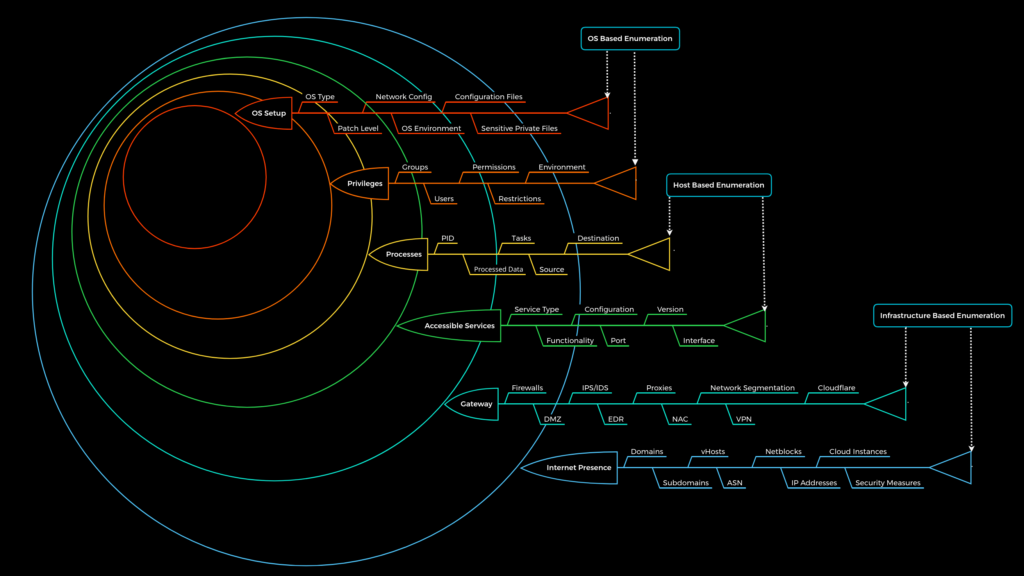
Service enumeration is performed after we have identified which ports are open on the target machine and which services are running on those ports. This process involves interacting with those services, either passively or actively.
The information we aim to gather at this stage includes things like: what the service is, what it is used for, its version, any unauthenticated access points, weak authentication mechanisms, or the use of default credentials, etc.
There are many tools we can use during this phase. It can be Nmap, or simply common utilities we use to interact with specific services—such as dig for DNS enumeration, or mount when working with NFS enumeration. In some cases, we may also use additional scripts or tools to optimize and automate the process further.
Practice
Okay, in this section I won’t go into too much detail about how to enumerate each specific service, since I’ll be compiling everything into a GitHub repository. You can check it out there, and I’ll continue updating it with more techniques and tools over time.
This article will stop here for now. You can follow the techniques through my GitHub, and in future posts—such as Active Directory Enumeration—I’ll include more demos to make things easier to understand. For this one, just keep an eye on my GitHub